Personalized View
QMetry provides the ability to add/arrange/hide the columns on all test asset modules - Test Case, Test Cycle, and Test Plan, that enables users to customize the view of the test asset module. The customized view allows users to add the required fields on the grid which makes it easier for users to examine the test assets values directly from the grid view without navigating to the Test asset's detail page.
You can customize the page view by showing or hiding columns and applying filters to records. You can also save the view.
Manage Grid Columns
Customizing the columns allows you to organize your test assets grid view by adding or arranging required columns. For example, you may want to inspect your test assets with components of your application, or according to the assignee that will run them. Or you might want to view your test cycles along with execution results, priority or fix versions, etc.
You can view all the system-defined and custom-defined QMetry fields in a customized view. Refer Custom Fields .
Tip
Execution Result: The Execution Result column shows the outcomes of the most recent execution of the test case.
Hide, Show, and Rearrange Columns
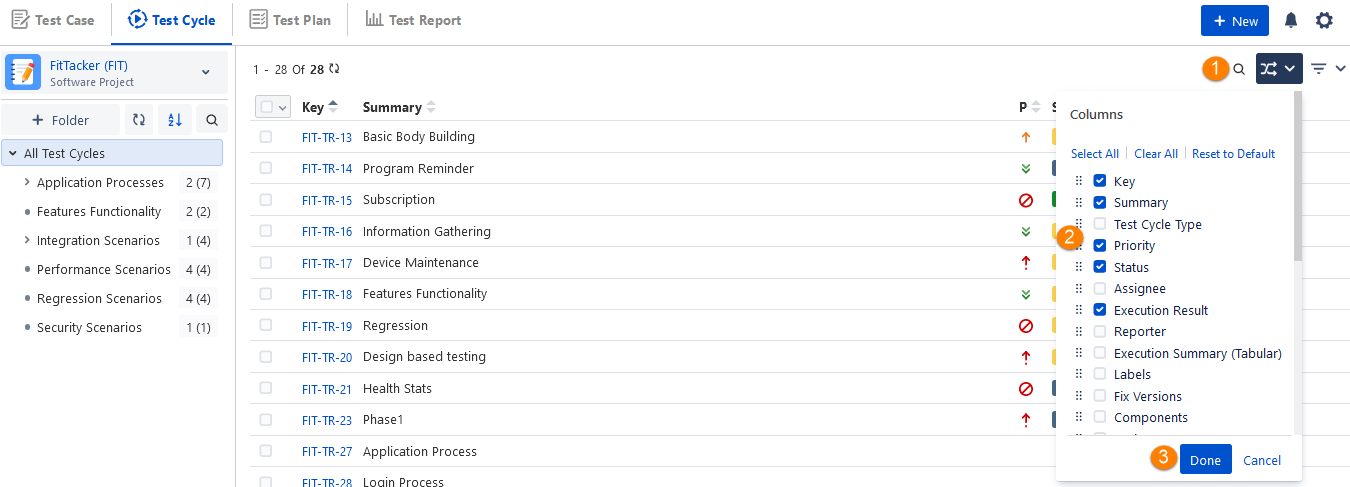
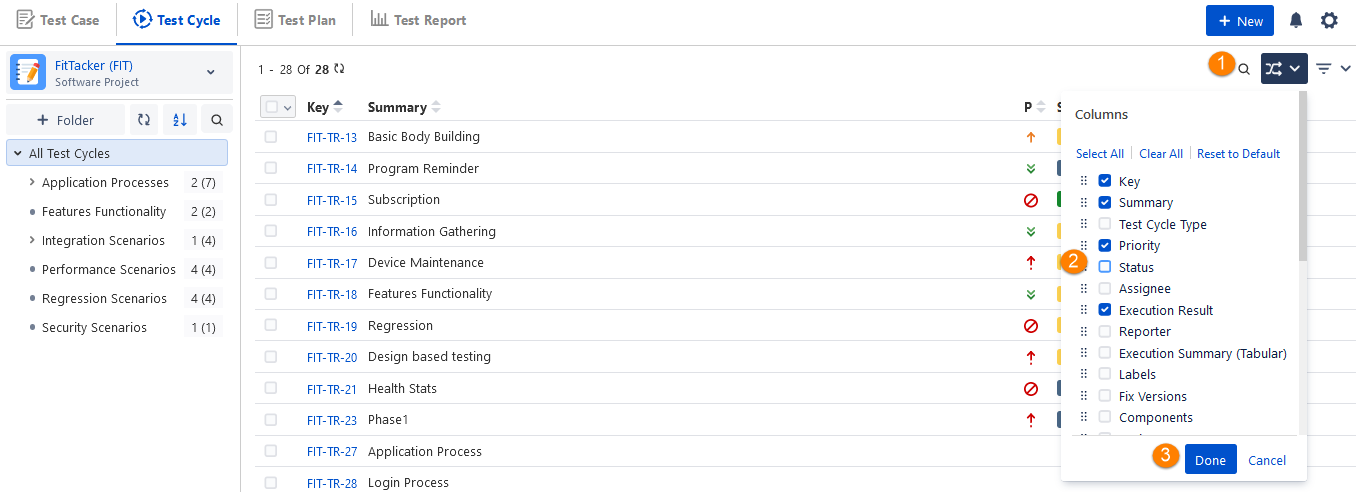
You can show or hide all field columns except Sequence No, Key, and Summary in test cycle module grids. Columns selected on the list will appear on the test cycle screen. Columns not selected/deselected will remain hidden on the screen. To return to the default view of the Test Cycle list view, open the Columns drop-down and select Reset to Default.
Adding a Column: Perform the following steps to display a column on the screen:
Click the Column drop-down menu.
Check one of the fields to show as a column.
Click Done.
Hiding a Column: Perform the following steps to hide a column from the screen:
Click the Column drop-down menu.
Remove the selection of the column to hide.
Click Done.
Rearranging the Columns (through the Drag and Drop operation)
Perform the following steps to rearrange the columns:
Select a field from the list and drag and drop it to the required order.
Click Done and check the column display after making the changes.
The column view is saved accordingly.
Customize View Using Filters
You can easily filter test assets by any system/custom field on all module grids. It also helps you in carrying out bulk operations. For example, you may want to organize your tests assets according to different components of your application or you might want to sort your issues by status, by priority, or by fix versions.
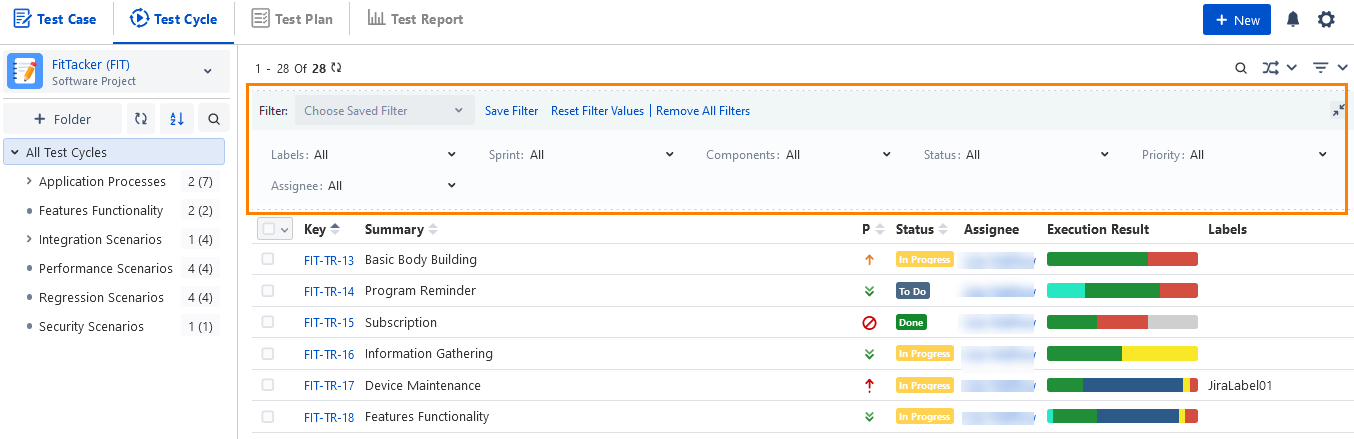
Apply Filters
You can apply filters from the Filter drop-down list.
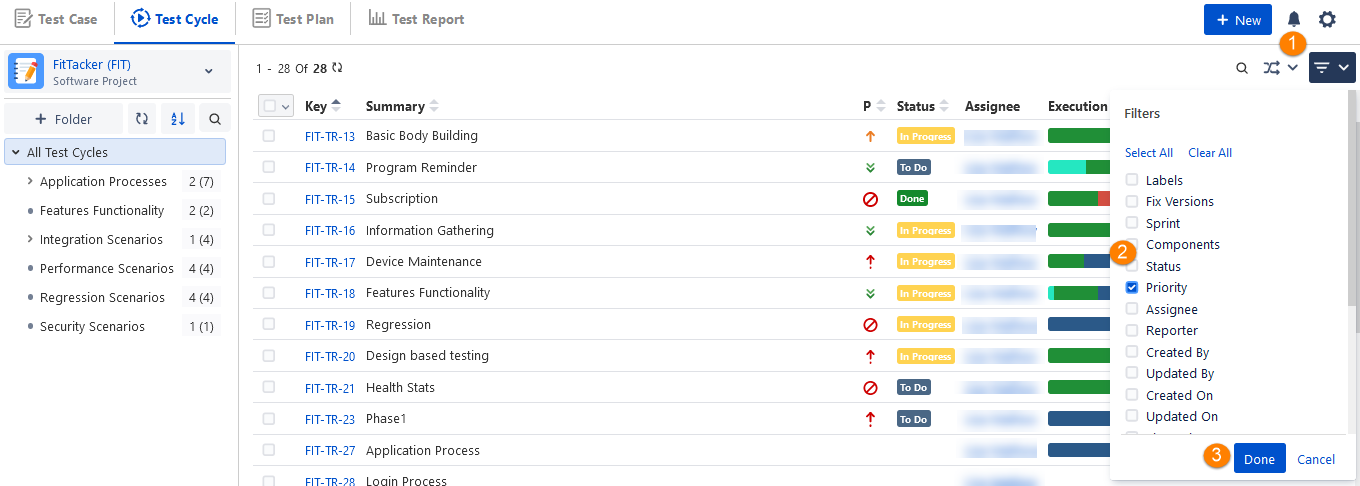
For example, we will create a filter for the Test Cycle, displaying Test Cycle with 'Priority = High' and a sub-filter displaying the Test Cycle type, that is, whether Automated or Manual.
Clear Filters and Columns
You can clear the applied filter and columns to the fields.
A. Clear Columns: Click on the Clear All button on the column drop-down or uncheck the selected fields and click Done.
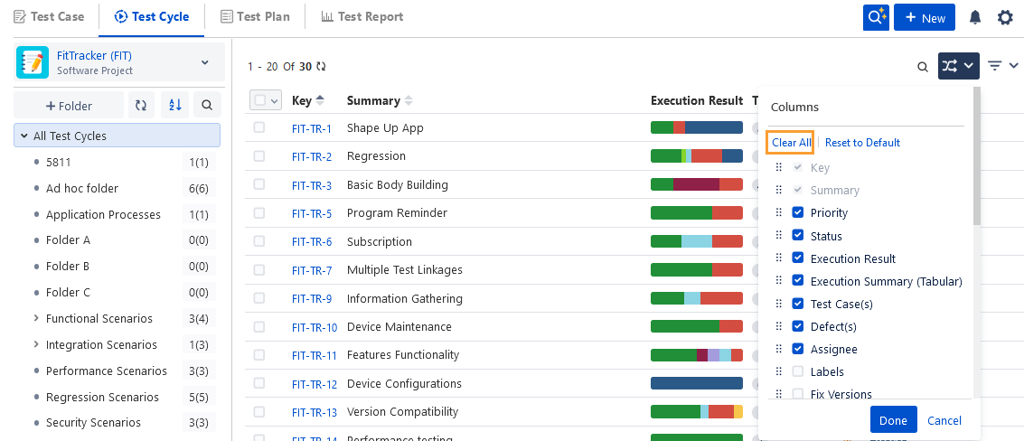
B. Clear Filter: Click on the Clear All button on the filter drop-down or Uncheck the selected filter and click Done. An alternate way is to click on Remove All Filters on the filter panel. It will reset the view to default.
Apply Sorting in Grid View
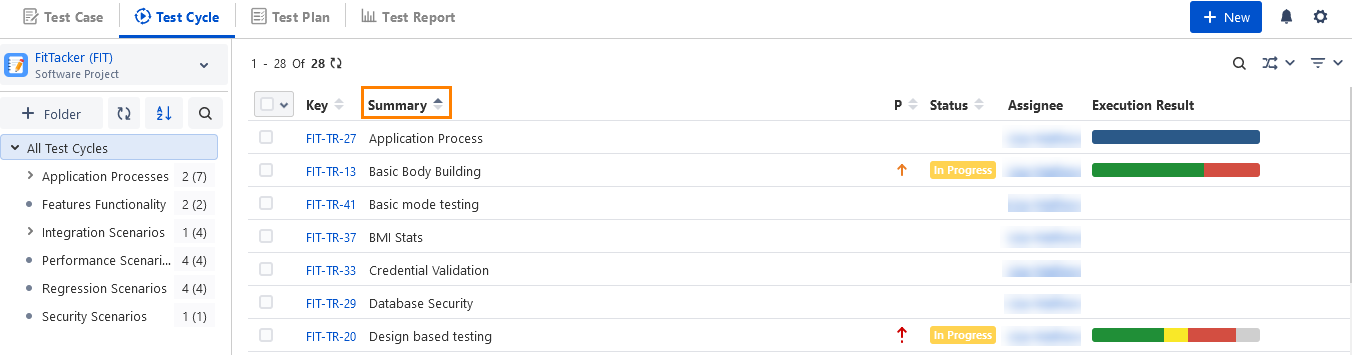
In the following sample image, the column (Summary) is sorted in ascending order. There is an arrow pointing up to indicate the sort column and sort direction.
Note
You can perform sorting only on the following fields:
Summary
Priority
Status
Test Case(s)
Defects(s)
Planned Start Date
Planned End Date
Estimated Time