Delete Shareable Test Cases
Note
The shareable test cases can be deleted only after archiving them. Refer to the Archive Shareable Test Cases to know how to archive a shareable test case.
You can delete individual shareable test cases. QMetry allows you to maintain different versions of test cases. You can also delete a particular test case version. You can use the inline delete feature to delete individual test cases.
Warning
Shareable Test Cases will be deleted from the project permanently. The action can not be reverted. It will remove all references to the shareable test case from linked entities.
View Archived Test Cases
Perform the following steps to view the archived test cases:
To view only archived test cases in the list, click the More icon above the folder tree and click the Show Archived Test Cases option.
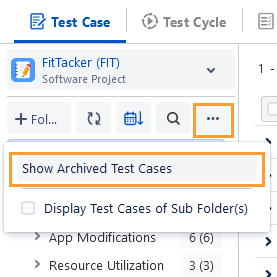
Select Archived Shareable Test Cases.

Delete a Shareable Test Case Version
If a shareable test case has multiple versions, you can delete a particular version of the test case.
Perform the following steps to delete a shareable test case version:
Navigate to the shareable test case detail page and click the Delete drop-down list at the top right corner.
Select the Only Selected Test Case Version option on the drop-down list.
It deletes the particular version only. Other versions of the test case are still be available.
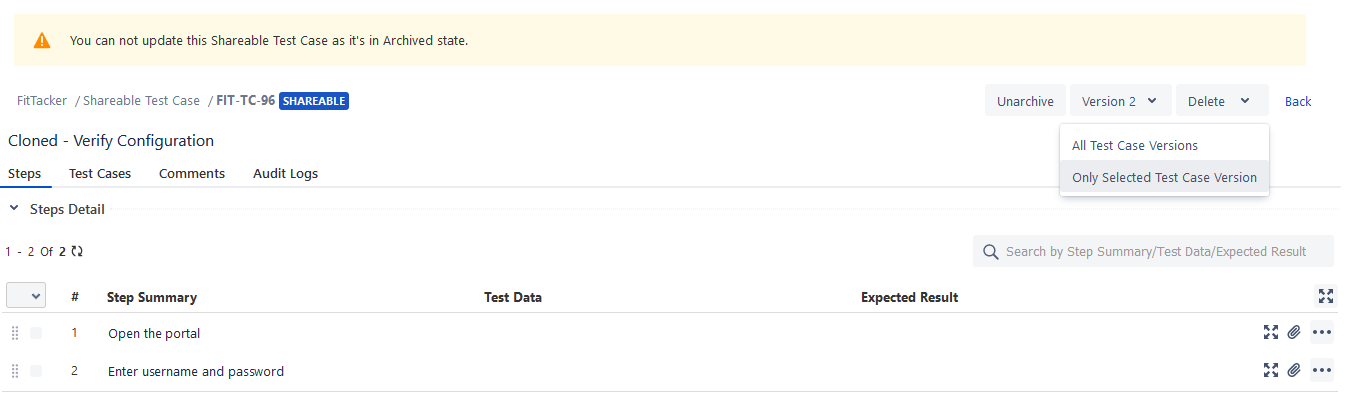
The confirmation message appears. Click Delete to proceed.
Delete a Shareable Test Case
Apply the filter provided for the archived shareable test cases as mentioned in the Archive Shareable Test Cases section. The archived shareable test cases are displayed at right.
You can delete a shareable test case through either of the following methods:
A. Shareable Test Case list view
B. Shareable Test Case detail page
Note
The shareable test case will be deleted with all its created versions.
Deleting Shareable Test Case from List View
Perform the following steps to delete a shareable test case:
Hover over the test case. The two icons are now visible: Delete and Unarchive.
Click the Delete icon to delete an existing test case.

Deleting Shareable Test Case from Detail Page
Perform the following steps to delete a shareable test case:
Open the shareable test case detail page.
Click the Delete drop-down list and select All Test Case Versions.
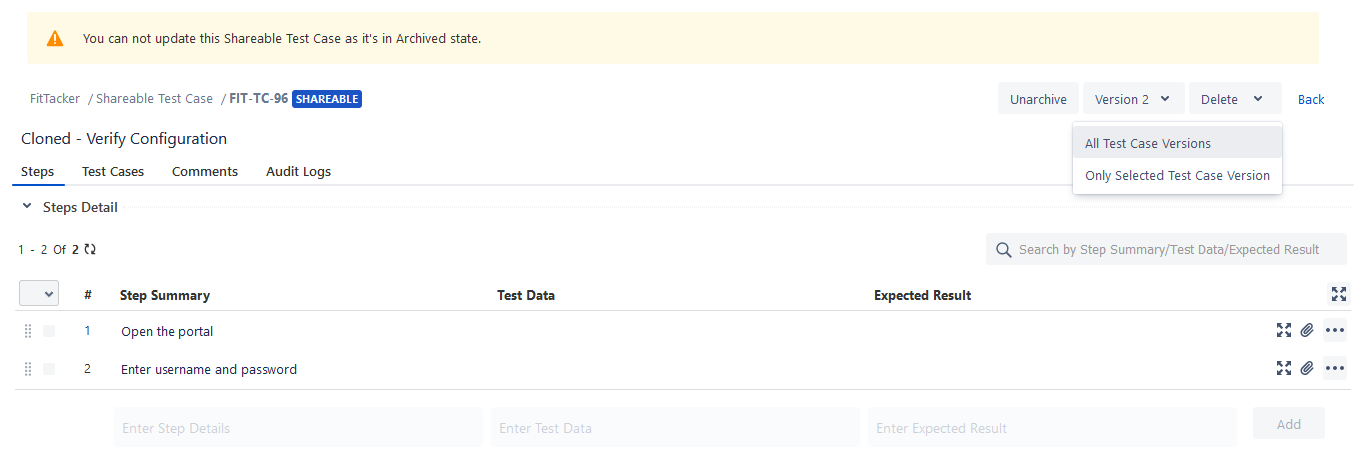
The confirmation message shows the number of test cases linked to the current shareable test case.
Click Delete to proceed.
Deleted Shareable Test Step in the Test Case: When a shared step is deleted, its reference will be removed from the test case where it was reused.
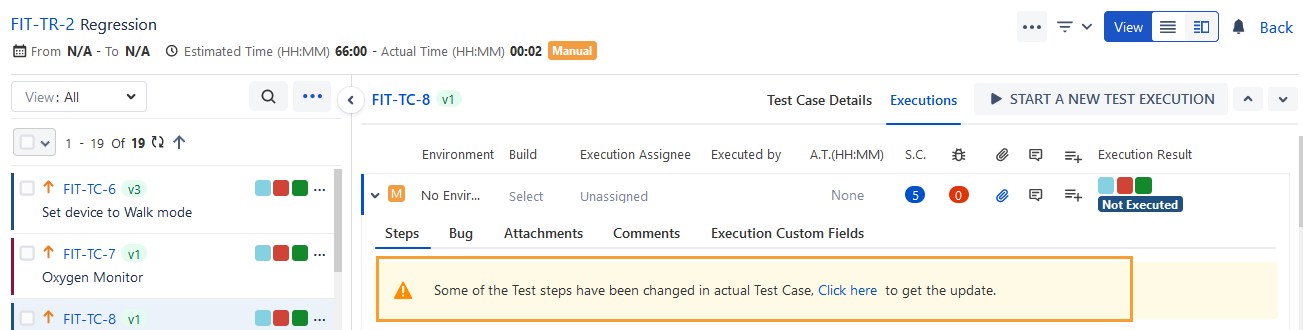
Deleted Shareable Test Step on the Execution Screen: Sync the test steps and get the update by clicking the link on the execution screen.
Note
Click the link on the execution screen to sync the updates and remove deleted shared test steps. The system then removes the deleted shared test steps from the execution screen.
Delete Archived Shareable Test Cases in Bulk
You can delete multiple shareable test cases at a time.
Note
A maximum of 1000 archived shareable test cases can be deleted at a time.
Perform the following steps to delete archived test cases in bulk:
Apply the filter provided for the archived shareable test cases as mentioned in the View Archived Test Cases section.
You can view the archived shareable test cases on the screen.
Select the archived test cases that you want to delete.
Click the Delete button at the top.
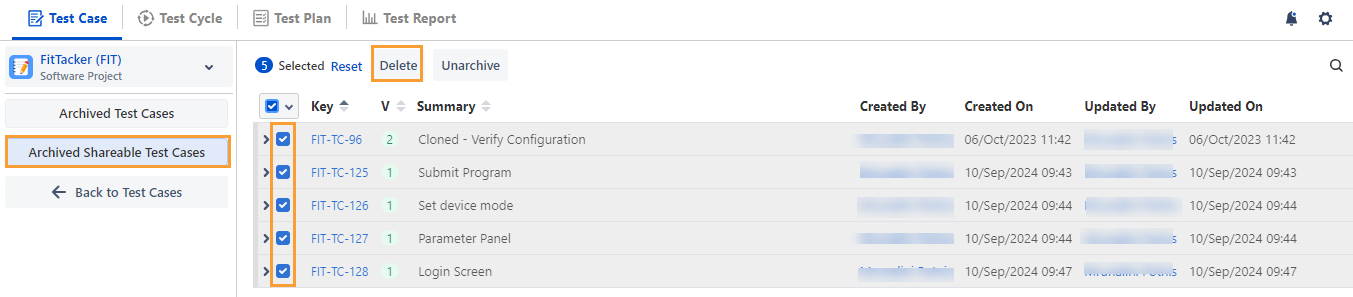
The confirmation message appears.
Note
The shareable test cases are unlinked and deleted from every test case in any project where they are currently in use. Their references are also removed from the executions.
Click Delete to proceed.
You can check the Notifications section for the operation.
The Notifications section displays the status of the deletion process.
You can view the relevant logs in the Audit Log section (QMetry menu > Configuration > Audit Log > Test Entity Logs > Test Case).