Create Test Cases
Test Cases are a set of conditions that help testers determine whether a product works correctly or satisfies the requirements. QMetry allows users to seamlessly create such Test Cases, which testers can use to determine problems with the system or product requirements.
Note
Required Permission: Users with the “Test Case Create” permission for the project can create test cases.
Test Case List View
You can show or hide all field columns except Sequence No, Key, and Summary in the test case module grid. Columns selected on the list will appear on the test case screen. Columns not selected will remain hidden on the screen.
To return to the default view of the Test Case list view, click the Columns drop-down list and select Reset to Default.
Note
You can select a maximum of ten filters at a time, including system and custom fields.
The Attachment Count is displayed only for the test case, not for the steps.
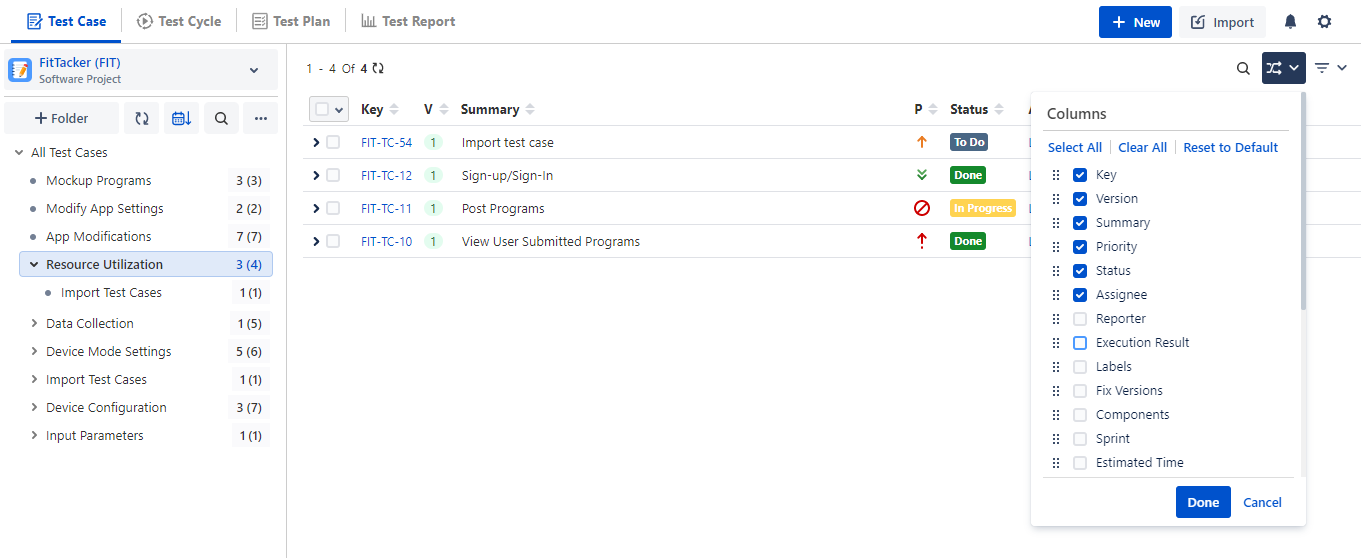
You can view the details of selected columns.
Steps to Create Test Cases
You can create a new test case and directly associate it with a folder.
Perform the following steps to create a test case:
Select a folder on the tree.
Click the New button. The new test case will be associated with the folder you selected in the tree.
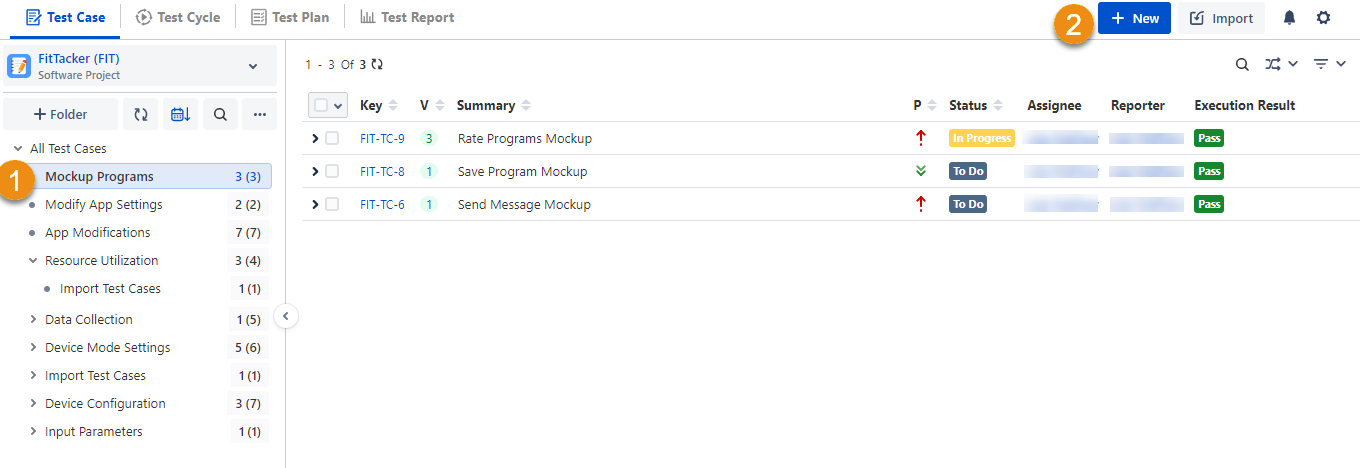
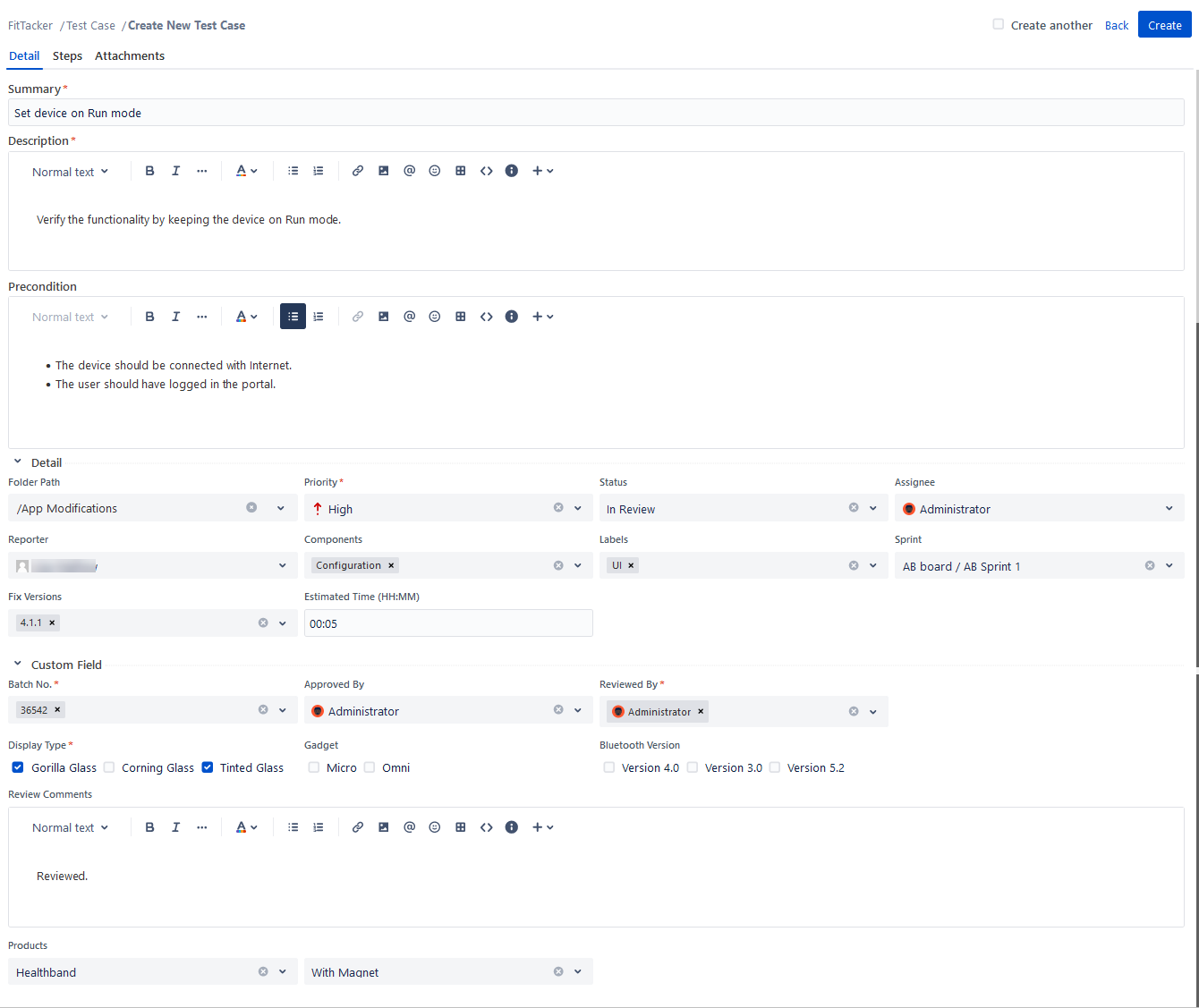
There are three tabs: Details, Steps, and Attachments.
Enter Test Case Details.
Note
If you add inline images to the test case while authoring, the images are attached as test case attachments.
Summary: It is a short description of the test case.
Description: It describes the test case with more details, like images, links, and so on. The field has a Wiki markup editor. You can use different options that are available to apply to the text. Refer to Text Formatting.
Precondition: It describes the setup required for a test case to carry out its execution successfully.
System Fields: These are system-defined fields. Enter or select values for the fields. The list values are entered in the Project Configuration in Configuration.
Folder Path: It shows the folder path of the test case where it is located.
Priority: It shows how important the test case is with priority assigned as blocker, critical, high, low, and so on. You can configure the priority list values from Priority in Configuration.
Status: It shows the current state of the test case in the workflow with Statuses like To Do, In Progress, Done, and so on. You can configure the status list values from Statuses in Configuration. On the test case list view, you can also update the test case status inline by clicking in the cell under the Status column.
You cannot update the status of cross-project test cases linked to a test cycle or story using inline editing.
Assignee: It shows the user who is assigned to work on the test case. The user's list displays users who have access to the project.
Reporter: It shows the user who has created the test case. The user's list displays users who have access to the project.
Components: It refers to Project Components like UI, Configuration, and so on, that you have created in Components under Configuration.
Labels: It is helpful to group test cases into categories. You can configure the Labels list values in Labels under Configuration.
Sprint: The field is useful for Agile methodology, where planned tasks have to be completed by the team and made ready for review. It shows the Sprint in which the test case is included.
Fix Versions: It shows the version of the software in which the issue is fixed. The field values come from Jira.
Estimated Time: You can mention the approximate time required to execute the test case. The acceptable time format is HH:MM.
Custom Fields: You can add additional fields other than system fields. Custom Fields are added in Custom Fields under Configuration.
After entering the details, click Create to create the test case.
Create another
Create another checkbox that allows users to keep creating one test case after another without clicking the Create button repeatedly. It is helpful when you have to create a series of test cases.
While creating another entity, values of some fields populate as these field values get preserved.
Field values that will be preserved | Field values that will not be preserved |
|---|---|
Folder Path Priority Status Assignee Reporter Components Labels Sprint Fix versions All Custom Fields | Summary Description Estimated times Steps Parameters Attachments |