Plan Test Cases in Story
You can trace the linkage of stories with a test case. You can view which Jira stories are linked to a test case.
Link Test Cases to Story from Test Management > Test Case tab
Perform the following steps to plan test cases in a Jira story:
Go to the test case detail page.
Select the Story tab. It shows the list of stories to which the current test case is associated. You also select a particular version in the drop-down list to see the linkage with stories.
You can associate a test case with a story from the Jira issue page.
You can also link/unlink stories from the Story tab of the test case detail page.
Link Stories
You can link a single test case to a story from the test case detail page and link multiple test cases to a story through Bulk Operations on the test case list view.
Link Stories to a Single Test Case
To link stories to a single test case,
Go to the test case detail page.
Select the Story tab.
Click the Link Stories.
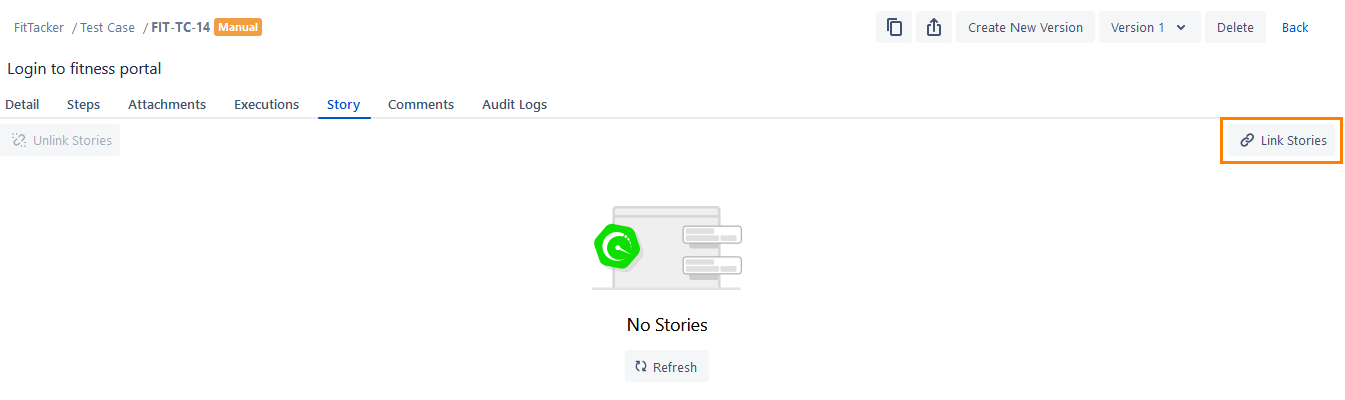
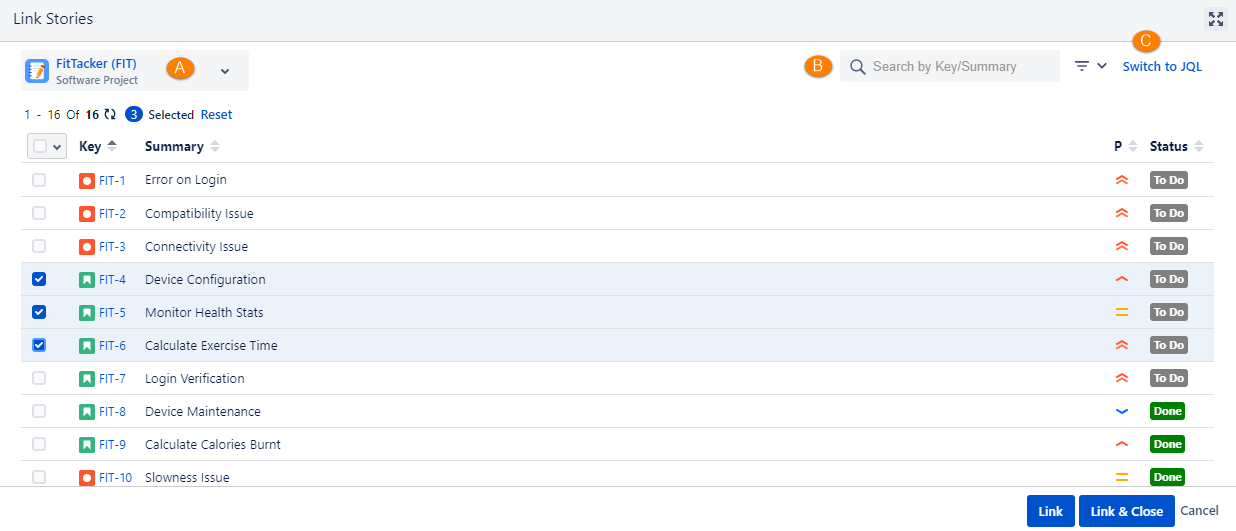
The Link Stories screen opens with a list of stories in the current project. The screen displays the records according to the Issue Type enabled for Story in QMetry Project Settings.
You can also -
(A) Select stories, cross-project stories. Click the project drop-down list and select the other project from which you want to add the stories.
(B) Apply a Basic filter to search stories (The Issue Type filter displays Issue Type in accordance with the Issue Type enabled for Story in QMetry Project Settings.)
Note
A maximum of ten filters, including system and custom fields, can be selected at a time.
(C) Apply JQL to search stories: You can write a JQL query to fetch therequired records.
Select the stories and click either of the following buttons:
Link: You can link the selected test case with multiple stories at a time. Select the stories to which the test cases are to be linked and click on the Link button. Once the stories are linked, the Link Stories screen still remains open to let you link further stories.
Link & Close: You can link multiple stories at a time and close the pop-up. Select the stories to which the test cases are to be linked and click on the Link & Close button.
Link Stories to Multiple Test Cases in Bulk
You can link test cases of a particular folder with one of the existing stories. It provides traceability between requirements and their corresponding test cases.
You can -
A. Link Test Cases with a Story
B. Link Test Case Folder with a Story
Link Test Cases with a Story
Perform the following steps to link selected test cases of a particular folder or root folder with one of the existing test cycles:
Select test cases that you want to add to the story that exists in Jira.
If the Display Test Cases of Sub Folder(s) option is enabled on the tree, then the screen at right will include test cases of parent folder as well as its sub-folders. So make sure you select only required test cases.
Select All:
Select all records on the current page:
Clicking the checkbox in the column header selects all the records on the current page only.
An alternate way is to open the checkbox drop-down and select Current Page.
Select all records across all pages:
Click the checkbox drop-down and select the Across All Pages option.
Note
A maximum of 1000 test cases can be selected at a time.
The options for Bulk Operation start displaying on the screen after selecting the test case(s).
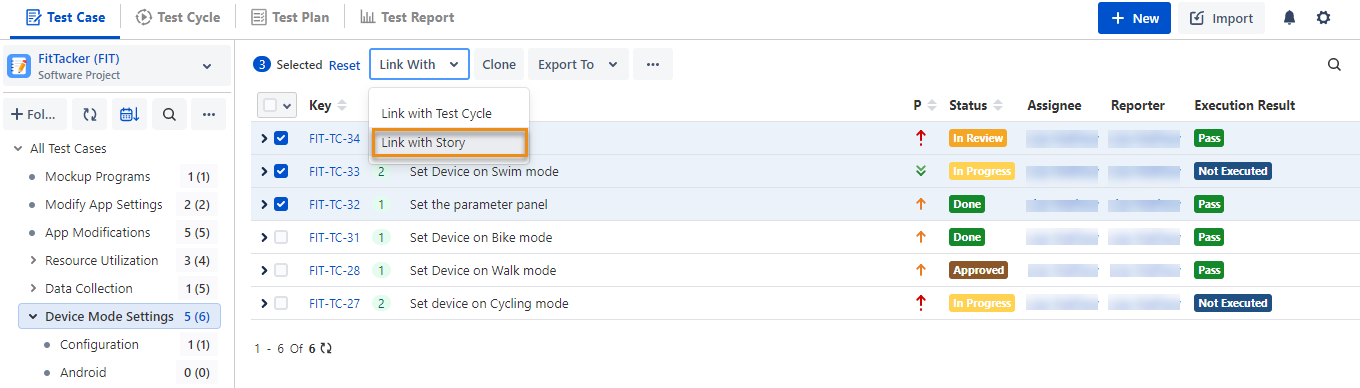
Click the Link With the drop-down menu and select Link with Story on it.
Link Test Case Folder with Stories
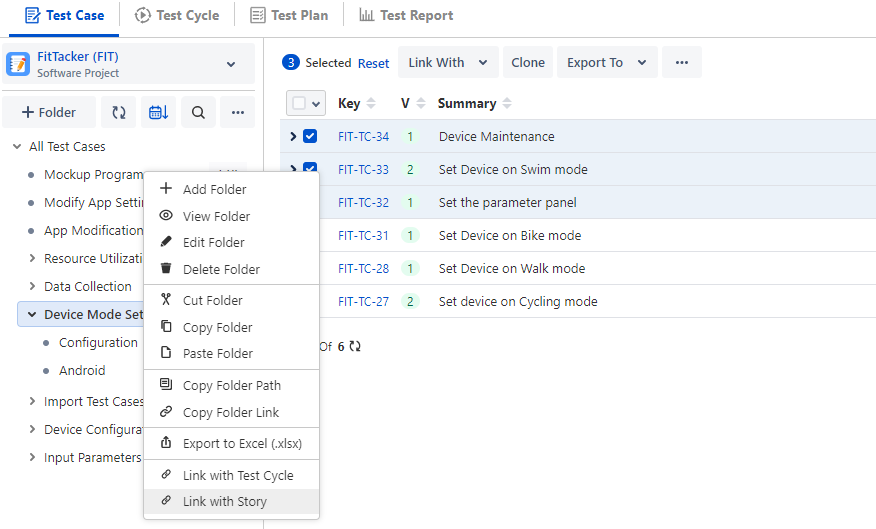
You can link test cases of a particular folder/root folder with one of the existing stories. Right-click on the test case folder and click Link with Story.
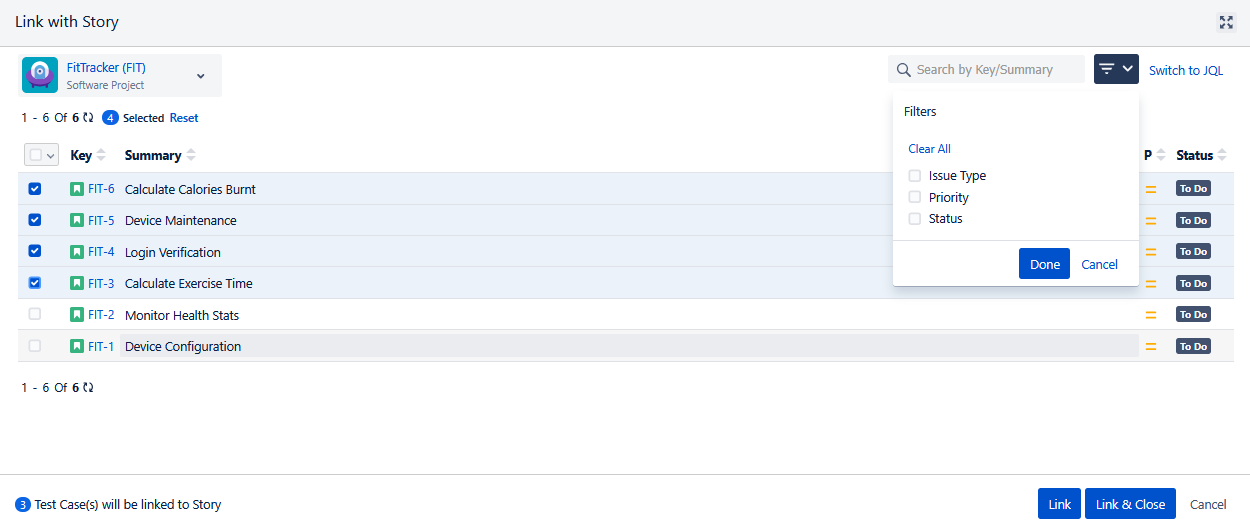
The Link with Story screen appears with the list of stories on it. You can search for stories by their Key/Summary/Priority/Status.
You can -
(A) Select stories from same project and other projects. Click the project drop-down and select other projects from which you want to add the stories.
(B) Apply a Basic filter to search stories (The Issue Type filter displays Issue Type in accordance with the Issue Type enabled for Story in QMetry Project Settings.
Note
A maximum of 10 filters, including system and custom fields, can be selected at a time.
(C) Apply JQL to search stories: You can write a JQL query to fetch the required records.
Note
You can link the test cases to a maximum of 20 stories at a time.
Select the story to which the test cases are to be linked and click either of the buttons:
Link: You can link selected test cases with multiple stories one by one in sequence. Select the story to which the test cases are to be linked and click the Link button. The success message appears with the clickable Issue Key on it to open the issue detail page. Once a story is linked, the Link with Story screen still remains open to let you link another story.
Link & Close: You can link the story and close the screen. Select the story to which the test cases are to be linked and click the Link & Close button.
You can maximize the screen by clicking on the icon.
In Jira, the Story detail page displays the linked test cases under the Test Case/Acceptance Criteria section.
Unlink Stories
You can unlink a single story or multiple stories.
To unlink a single story, hover over the story and click the Unlink icon.
To unlink multiple stories in bulk at a time, select the stories you want to delete and click Unlink Stories.