Clone Prefix Settings
Jira Administrators can modify or remove the default prefix "Cloned", which the system automatically adds to the summary of test cases and test cycles while cloning in the same project or across different projects. This capability streamlines the workflow for QA teams by eliminating the need to manually edit or remove the "Cloned" prefix from test case and test cycle summaries, saving time and effort.
Note
Only a Jira Administrator can configure the Clone Prefix.
Perform the following steps to configure the prefix:
Go to Administration, and then select Manage apps.
Select Global Settings in QTM4J on the navigation bar.
Select the General Configuration section.
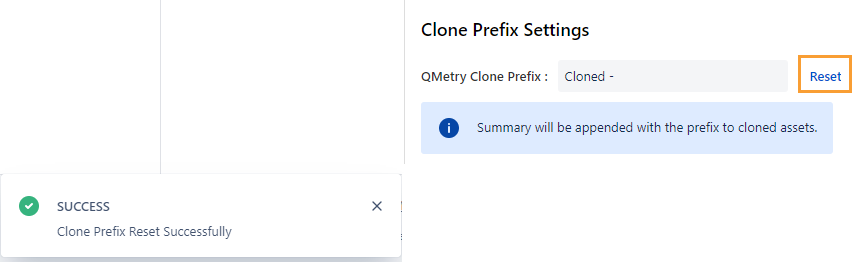
You can see the Clone Prefix Settings section on the page.

The “Cloned” text appears as the default prefix to the Summary of test case and test cycle.
Jira Administrators can configure the Clone Prefix Settings. When test cases or test cycles are cloned, the system appends the defined prefix to the Summary of the cloned assets.
The reset option is available in the settings.
Reset: If you want to reset the Clone prefix to its default value “Cloned”, click Reset adjacent to the field.