Export Test Cases to Excel
Export Bulk Test Cases to Excel
You can export test cases created in QMetry Test Management for Jira to an Excel file. The latest versions of test cases, along with system and custom fields, will be exported.
Advantages of the feature:
You can export test cases, make changes in bulk, and re-import them as a new version.
You can share test cases in an Excel file. For example, sharing with a third-party vendor who does not have access to QMetry.
You can -
A. Export Individual Test Cases to Excel
B. Export Test Case folder to Excel
Note
A maximum of 1,00,000 records can be exported to Excel at a time.
Export Test Cases to Excel
Perform the following steps to export test cases to Excel:
Select the test cases you want to export to Excel.
If the Display Test Cases of Sub Folder(s) option is enabled on the tree, the screen at right will include test cases for the parent folder and its subfolders. So make sure you select only the required test cases.
You can select individual test cases or all test cases. Select All has two options:
Select all records on the current page:
Selecting the check box in the column header only selects all the records on the current page.
Or, click the check box drop-down list, and select Current Page.
Select records across all pages:
Open the check box drop-down list, and select the Across All Pages option.
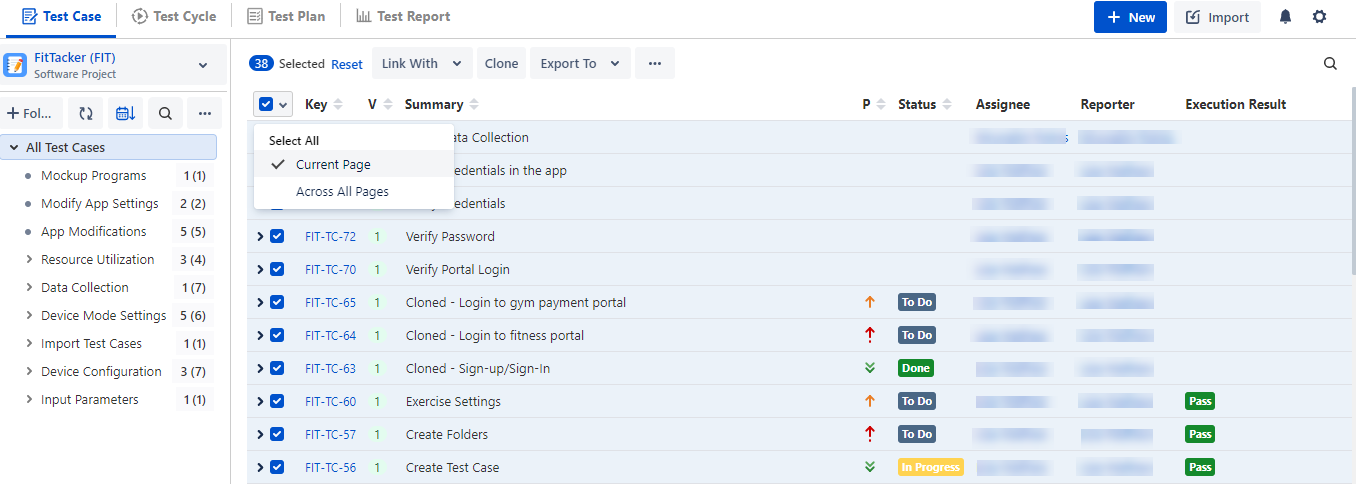
The options for Bulk Operation start displaying on the screen after selecting the test case(s).
Open the Export To drop-down and select Export to Excel.
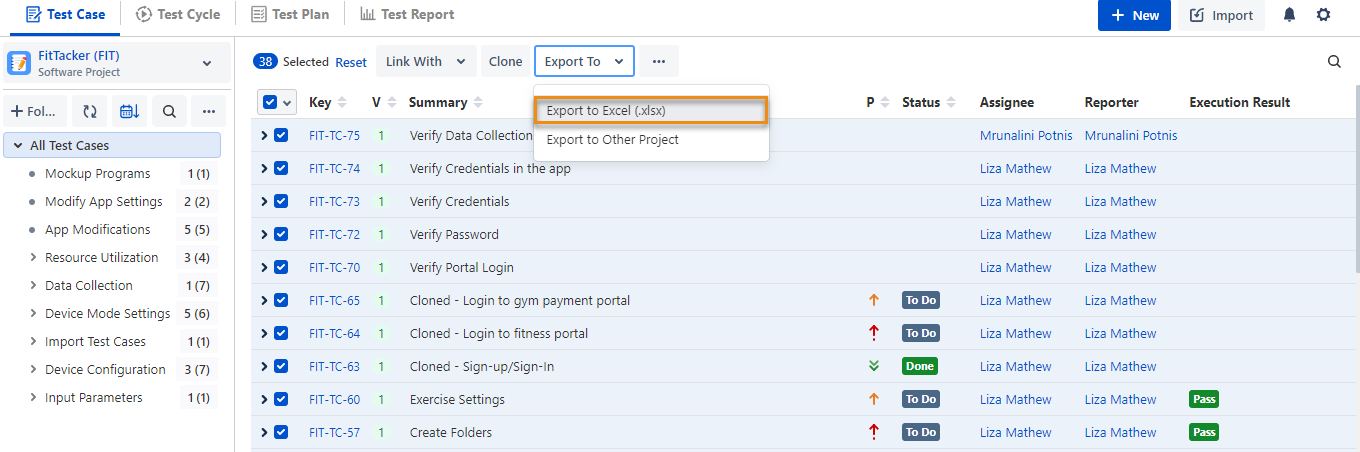
Export Test Case Folder to Excel
You can export all the test cases of a particular folder or root folder to Excel. Select the test case folder and right-click on Export to Excel.
When you are in the parent folder and the Display Test Cases of Sub Folder(s) option is selected, the folder or root folder and sub-folders will be exported.
When you are in the parent folder and the Display Test Cases of Sub Folder(s) option is not selected, only those test cases that are directly under the parent folder will be exported.
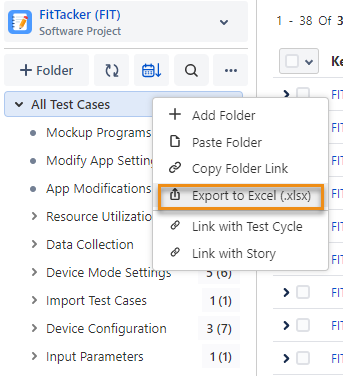
Export test case operation gets started in the background.
View Export Process and Download Excel
Go to the Notification section to view background processes.
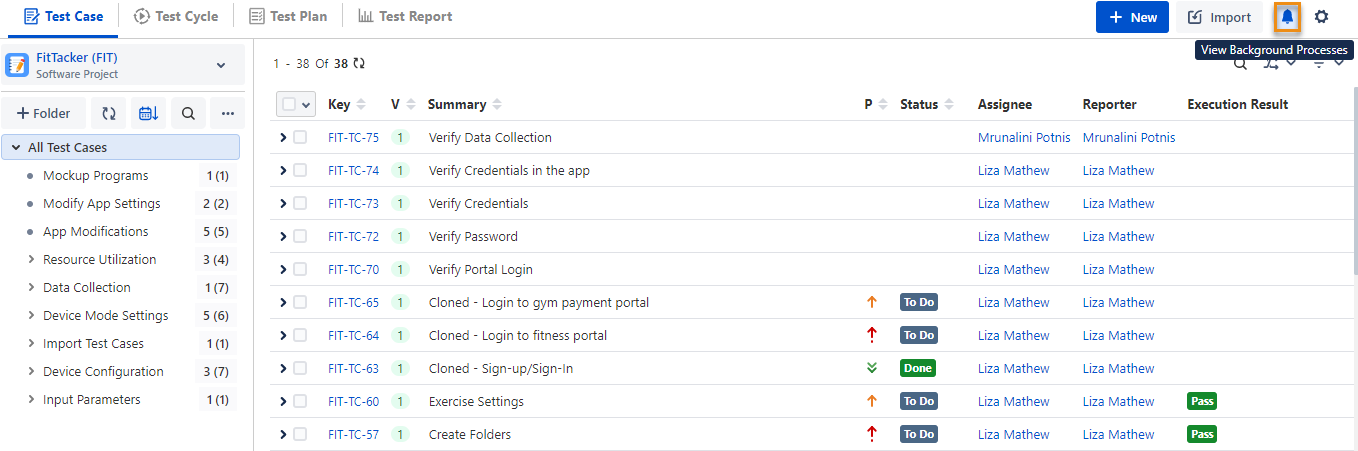
To download the Excel file, click the Download File link.
Note
The file will be available to download for 24 hours.
Export a Single Test Case to Excel
You can export test case details to an Excel file.
Note
Only the latest version of a test case can be exported. The export icon will not be visible for the older test case versions.
Perform the following steps to export a single test case to excel:
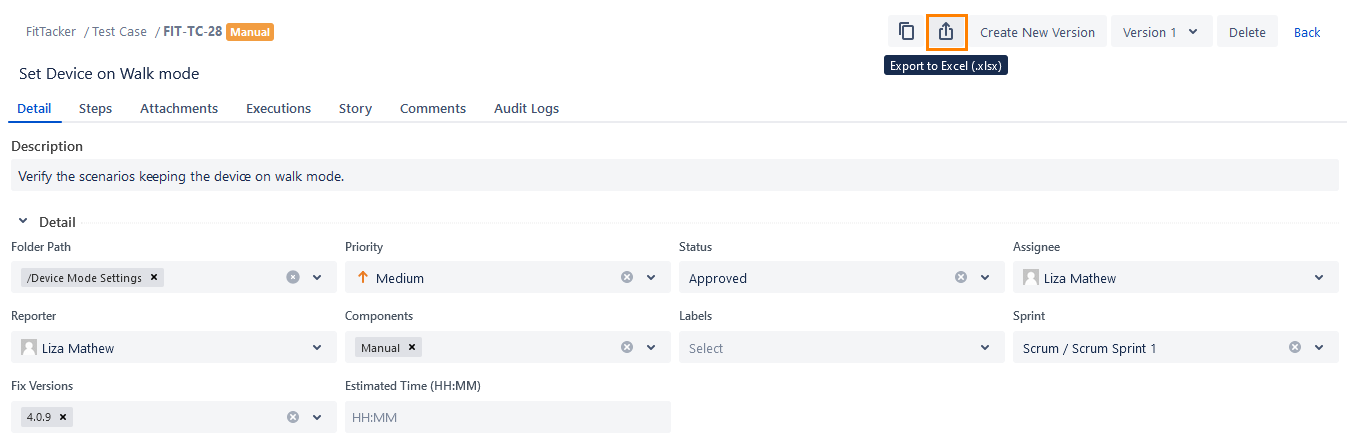
Go to the test case detail page.
Click the Export icon at the top.
Check the background process.

To download the excel file, click the Download File link.