Defects Report
QMetry provides the Defects Report to track defects across Testing processes. Defect report helps the managers or testers to efficiently track the bugs/defects and and maintain an informative representation of the same for presentation purposes.
Defect Summary
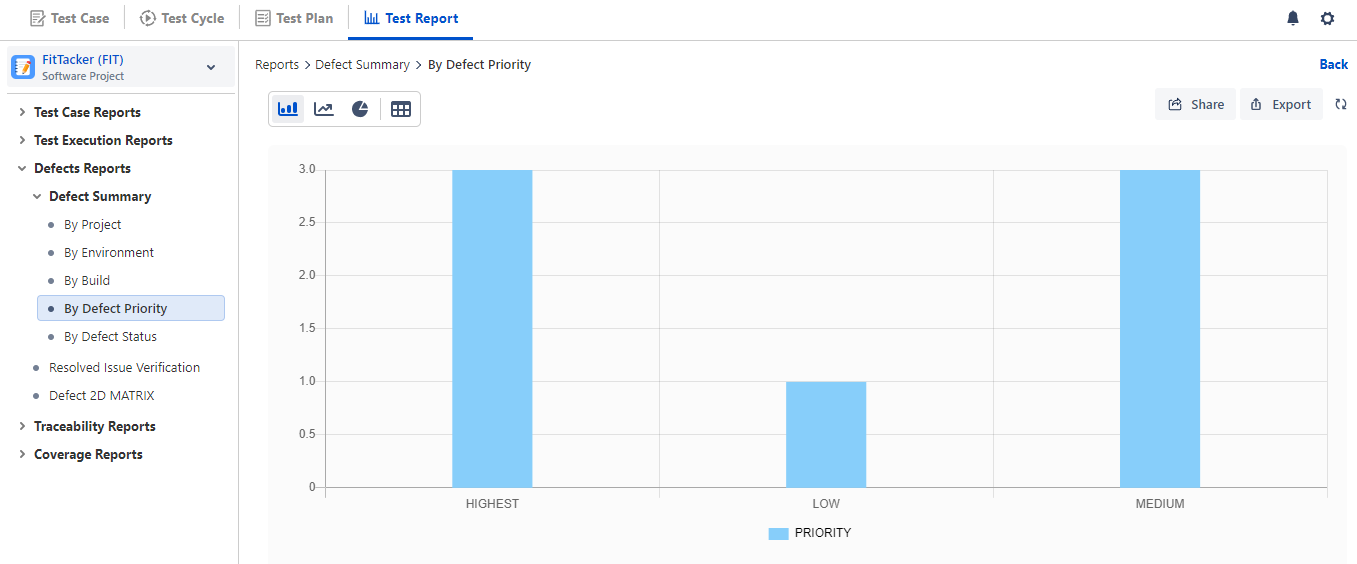
The Defect Summary report displays details related to defects logged to test cases. The defects can be organized by any of the following drill-down formats:
Workflow Status
Priority
Project
Environment
Build
For example, a QA Manager wants to generate a report showing the priority of logged bugs; they can then generate the Defect Report grouped by Priority.
The report will be generated accordingly in the configuration. Refer to Configure and Generate Report for more details.
Resolved Issue Verification
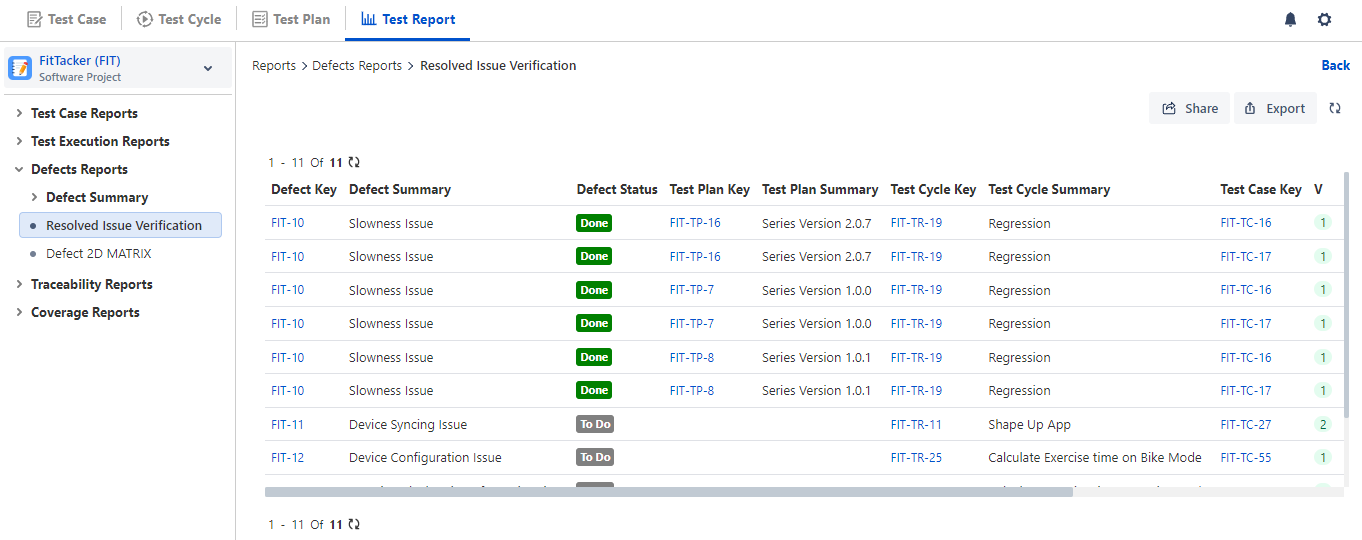
The Resolved Issue Verification tabular report provides issue traceability. Issues are displayed with their associated test plan, test cycle, test case, build, and environment. You can click the Defect Key, Test Plan Key, Test Case Key, and Test Cycle Key to view the respective detail pages.
Defect 2D Matrix
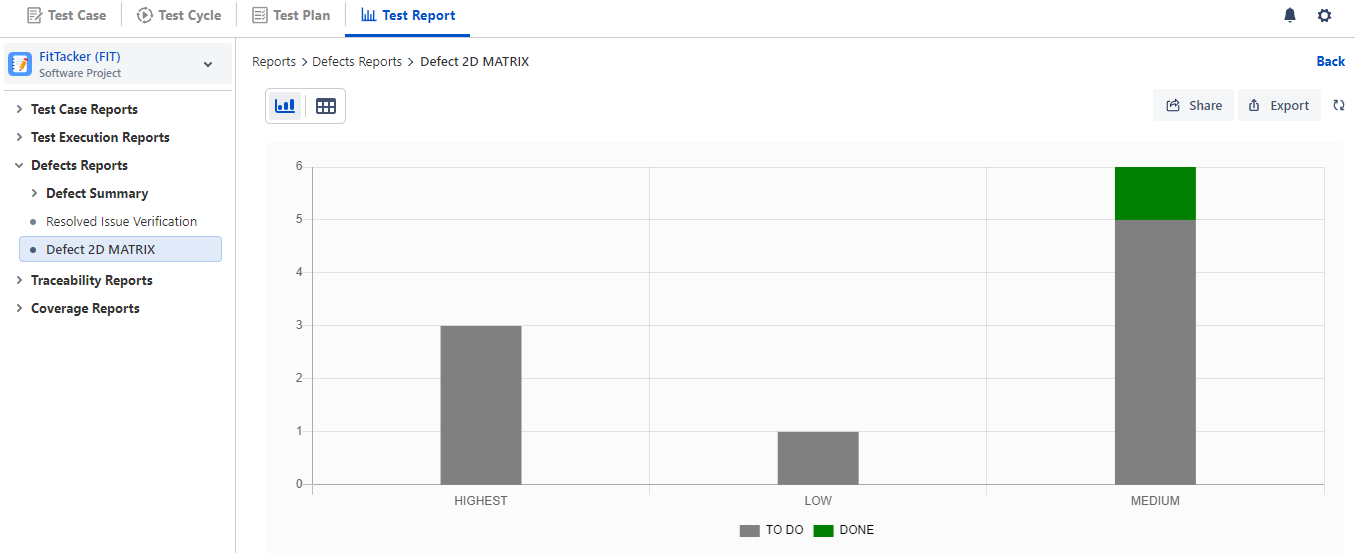
The report displays a bar stack chart for Defects that are linked in execution.
Export Defect Report
You can export the Defect Report data to Excel for further analysis and comparison. To export the report details in Excel, click the Export button at the top right corner.
It will export all the records irrespective of pagination on the screen.
Note
If the number of records in the report exceeds 1000, the report will not be downloaded directly. Instead, it will be sent to the registered email address.