Login Using Personal Access Token
You can create PATs from your Jira user profile in Data Center and use it as authentication.
Perform the following steps to create a PAT for your Atlassian account:
Log in to the Jira Data Center instance.
Go to User Profile.
Select Personal Access Tokens on the navigation bar.
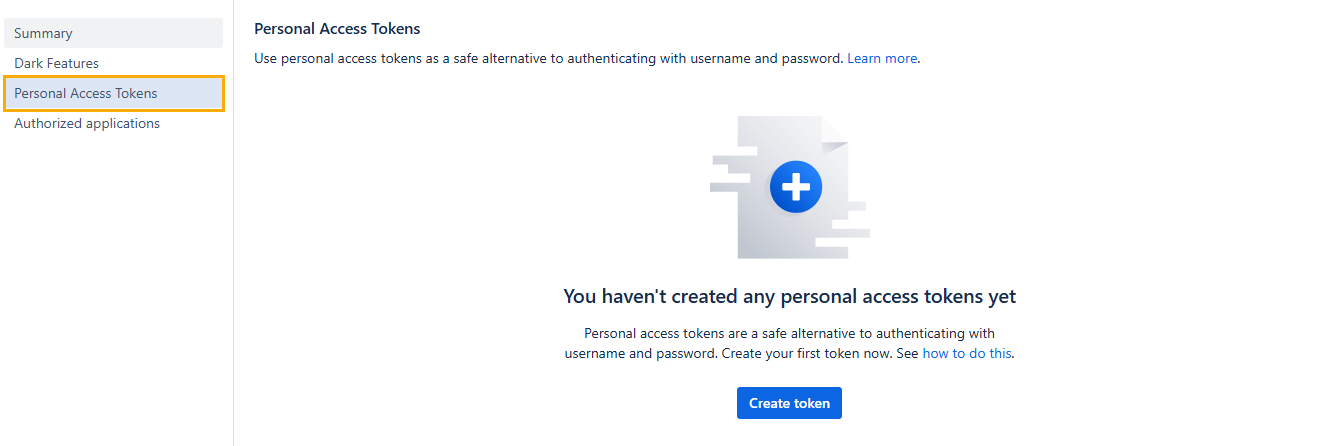
Click Create token. The Create a personal access token screen appears.
Enter the Token Name and set the Expiry Date.
Click Create to generate the token.
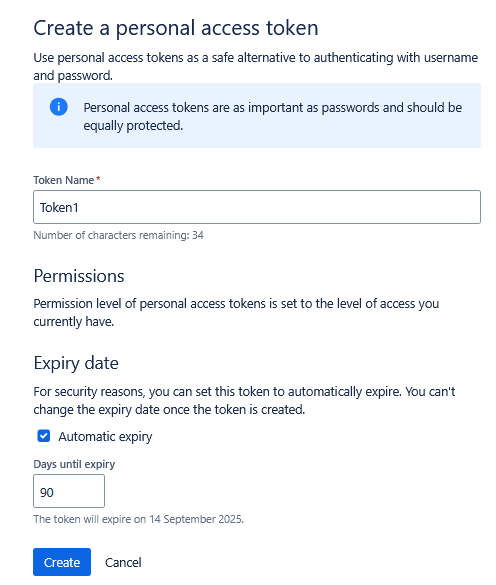
A new personal access token is created. Copy the generated token and use it for authentication.
Note
For security reasons, it is not possible to view the token after closing the creation dialog. If necessary, create a new token.
You can store the token securely, just like a password.