Re-index
This feature is used for keeping the Jira Data in sync with QMetry data. In case the Jira data is not in sync with QMetry Test Management for Jira then the Re-Index feature allows the admin to sync the Jira data with QMetry Test Management for Jira and fill the gap. Generally, the Jira data goes out of sync when the QMetry app is disabled while adding, updating, or deleting any data from Jira. Thus, the Jira data and QMetry data go out of sync. The Re-index syncs these Jira data with QMetry if it goes out of sync - Sprints, Fix Version, Jira Issue field changes, test asset keys (due to a change in the Jira Project key).
Note
Permissions Required
Jira Permissions: Browse Project permissions are required.
QMetry Permissions: If enabled, then the following permissions are required:
Configuration View
Configuration Modify
Perform Re-index
To perform a re-index, do the following:
Go to the QMetry menu, select Configuration, and select Re-index.
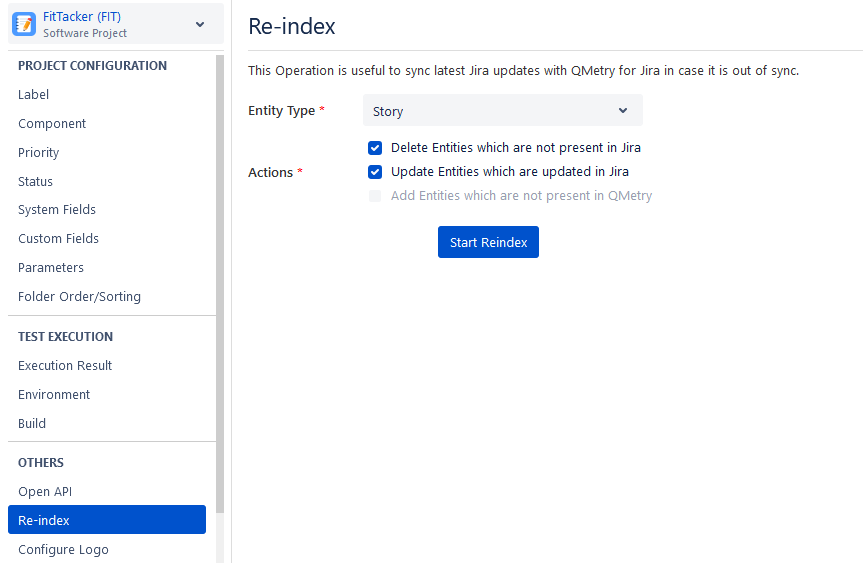
On the Entity Type drop-down list, select Story/Defect/Fix Version/Sprint/Project Key - the data of which you want to sync. If the Jira Project Key is changed, then Re-index with the Project Key to sync QTM4J asset keys with the changed Jira Project Key,
Select from the following actions:
Delete entities which are not present in Jira
Update entities that are updated in Jira
Add entities not present in QMetry: This option is available for Fix Version and Sprint.
Once you select the required options, click the Start Re-Index button to start syncing.
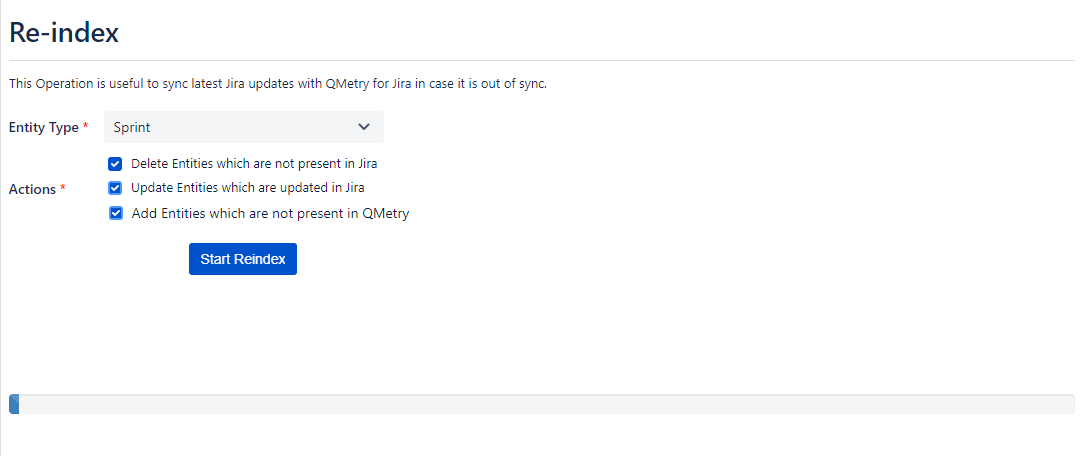
It shows the syncing process status.
The success message appears on the completion of the process.
The system updates the Jira data in QMetry Test Management for Jira accordingly.