Traceability Reports
Introduction
The Traceability Report has been designed to enable you to trace relationships among Requirements, Test Cases, Test Cycles, Test Plans, and Defects. You can search for a specific test artifact and discover the web of its relationships with other artifacts. You can drill down into details by clicking on hyperlinks. You can analyze the links between Defects, Test Cases, and Requirements, which helps you identify high-risk Requirements or Test Cases.
The downloaded report shows the hierarchy of issues (that is, Requirement → Test Case → Test Cycle → Test Plan → Defect) in single or multiple projects. It provides users -
Flexibility to select the level to drill down into the details
Organized and detailed information
To view the report,
Go to QMetry Menu, select Test Management, and click the Test Report tab.
On the Test Report screen, expand Traceability Reports.
You can drill down the report to the following hierarchy levels:
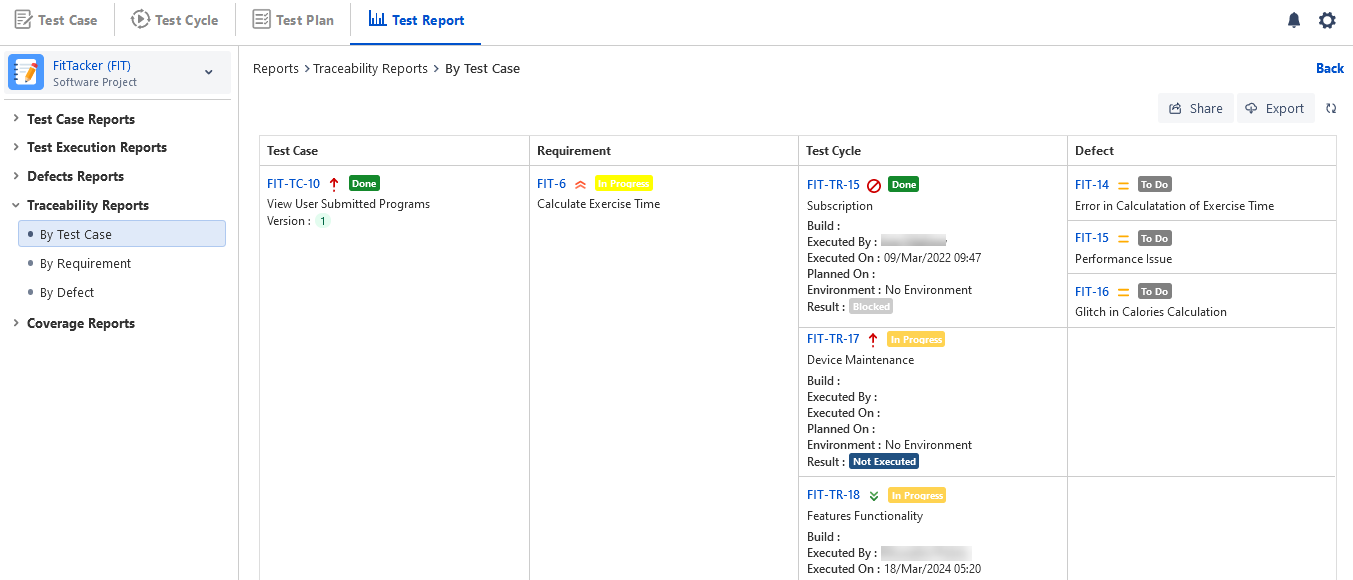
By Test Case: It displays report details in the hierarchy of Test Case - Requirement - Test Cycle - Defect.
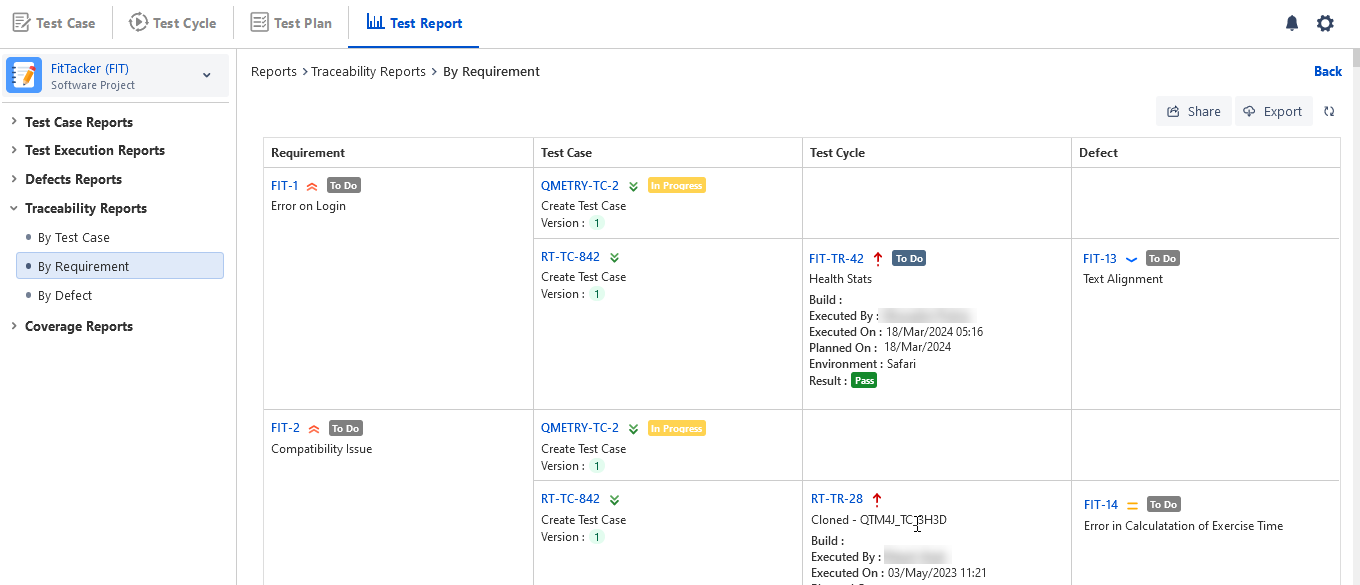
By Requirement: It displays report details in the hierarchy of Requirement - Test Case - Test Cycle - Defect.
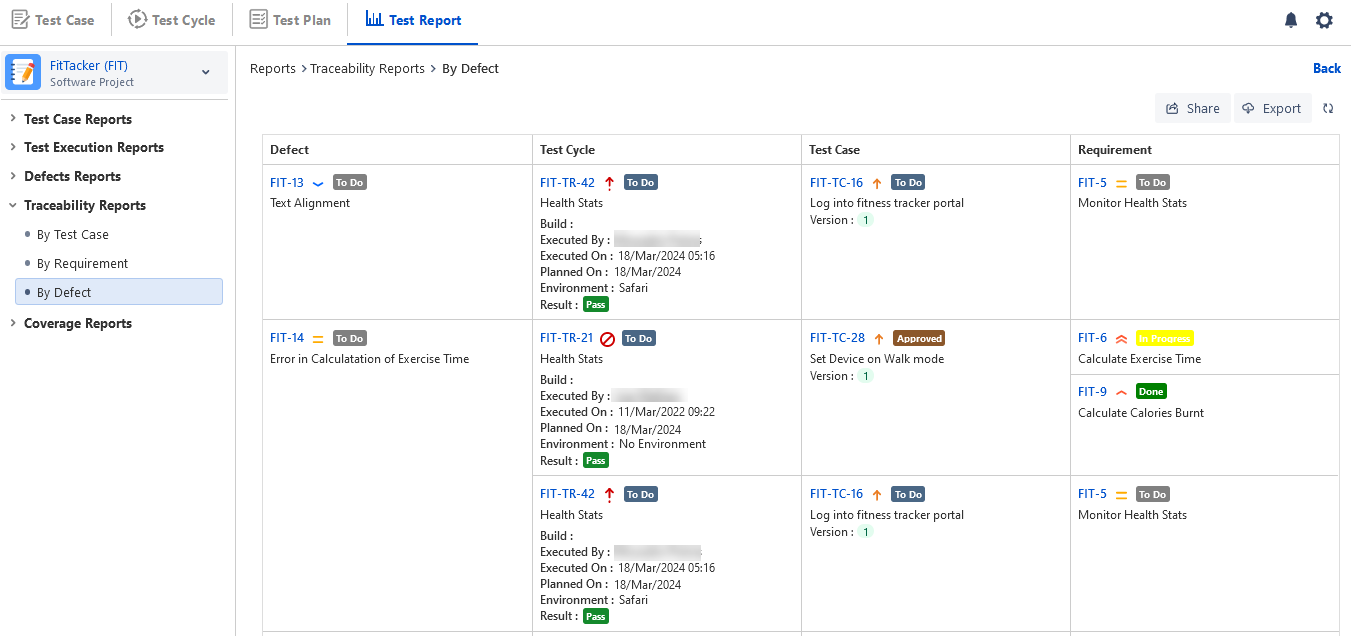
By Defect: It displays report details in the hierarchy of Defect - Test Case - Test Cycle - Requirement.
Configure Traceability Report
The report will be generated in accordance with the configuration. Refer to Configure and Generate Report to configure the report.
Once the configuration is done click on the Generate button.
The Traceability Report will be generated for the applied Filters.
View Traceability Report
Unlike other QMetry reports, the Traceability report is displayed in the Table format. The parent-child relation of artifacts (Requirements, Test Cases, Test Cycles and Defects) is clearly visible in this format without hampering the view. The report displays Issue Keys (which are clickable), Summary, Priority, Status, execution details - execution date and time, environment, result etc.
The Matrix View displays additional information on the Environment and Executed On for Test Cycles.
Traceability By Test Case
If you want to know which test cycles are covered under a particular test case, then view the Traceability By Test Case report.
The results show the association of test cases with multiple test cycles.
Traceability By Requirement
If you want to know which test cases are covered under a particular requirement, then view Traceability By Requirement.
The results show the association of requirements with multiple test cases and their execution.
Traceability By Defect
If you want to check whether a particular defect is linked to how many test cycles, then view Traceability By Defect.
The results show an association between defects and multiple test cycles.
Export Traceability Report
You can export the Traceability reports in tabular format in Excel, PDF, and Word (doc, docx).
Export Limits:
Word & PDF: A maximum of 1000 rows can be exported to Word and PDF.
Excel: A maximum of 1000 rows can be exported to Excel.
Note
If the number of records in the report exceeds 1000, the report will not be downloaded directly. Instead, it will be sent to the registered email address.
View Export Progress and Download the report in Word and PDF formats
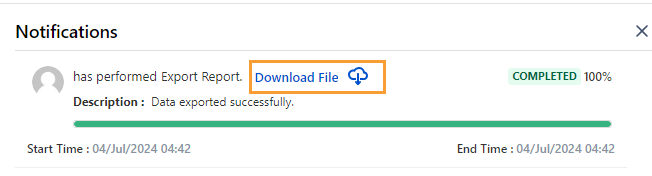
The Excel files were downloaded directly. Once you export the Traceability report to Word or PDF, you can verify the progress of the export in the Notification section.
To view the progress of the Export operation, click the bell icon for View Background Processes.
The Notifications panel opens.
Click the Download File link to download the Word or PDF.