Test Case Versioning
QMetry Test Management for Jira allows you to use different test case versions for testing and manage them at the same time. Audit Logs display the audit history of test case changes. You can compare different versions of a test case for audit purposes.
For example, a user may realize during the editing of the test case that both the old and the new versions of the test case are valid, and separate test cases. The user may also create a test case and use it as a template to create new test cases without copying all the separate steps. This is particularly useful when testers are developing new test cases on the fly.
The Version Control feature works according to QMetry Permissions for Project .
Creating a New Version of Test Cases
Perform the following steps to create a new version of the test case:
Go to the test case detail page for which you want to create a new version.
Click New Version.
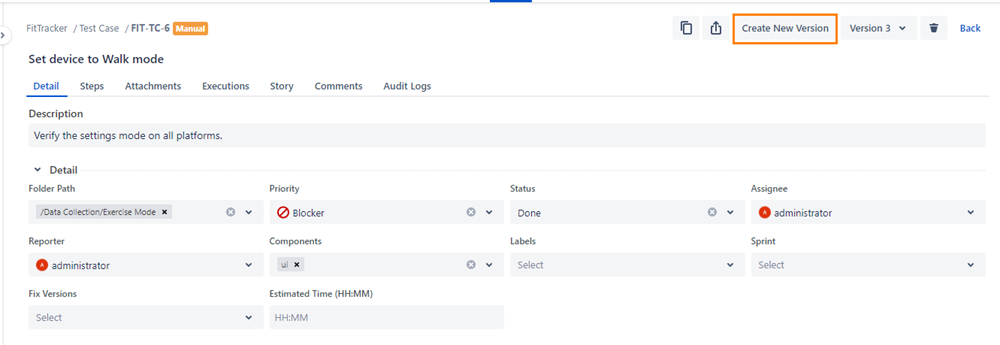
The Create New Version screen opens.
Click Create to create a new version with details, steps, and attachments.
You can see that the version drop-down list now shows the version number incremented by one.
Viewing Version-wise Details
You can create versions of a test case while editing it. All the available versions of a test case are listed at the top of the test case details page.
By default, the latest version is displayed on the test case detail page.
To view the details of a specific version, select it from the Versions list. The screen populates details for that version in the detail view. This way, you can refer to multiple versions of a test case.
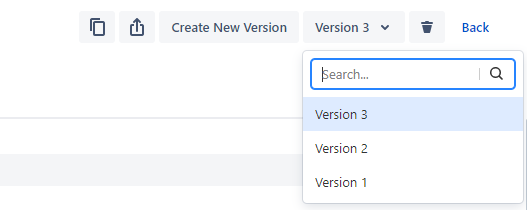
You can also edit and delete a test case version.