System Fields
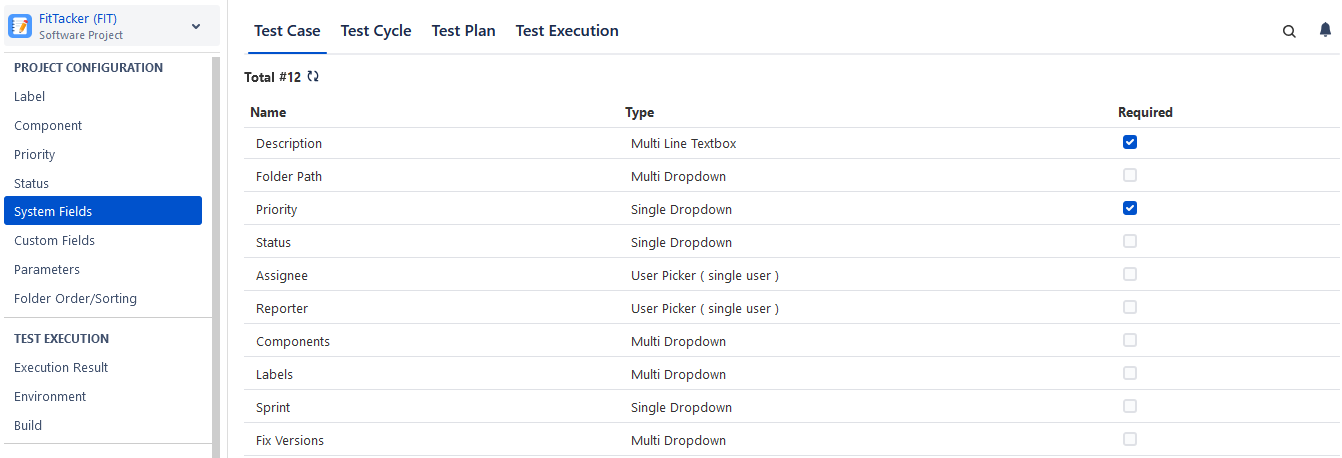
QMetry Test Management for Jira provides most of the standard fields defined in the testing process. These built-in fields or system fields are defined for different test assets in QMetry. These System Fields are not editable; however, you can make a System Field mandatory or optional, as per your requirement.
System Fields are defined for Test Case, Test Cycle, Test Plan, and Test Execution.
Note
Permissions required:
Jira Permissions: Browse Project permissions are required.
QMetry Permissions: If enabled, then the following permissions are required.
Configuration View
Configuration Modify
Marking System Fields as Mandatory
To mark the system field as mandatory for the test asset, select the Required checkbox. It helps users manage a large number of test assets that require a mandatory system field(s) to be part of every test asset.
Searching for a System Field
You can easily search a system field even from a long list of system fields on the screen.
Perform the following steps:
Click the QMetry menu, click the Configuration menu, and select your project.
Click System Fields under Project Configuration.
Click the search icon to see the text box. Type the keyword in the text box and press ENTER on the keyboard.