Add Attachments on List View Execution Screen
QMetry Test Management for Jira provides Attachment functionality to add more references to the particular test case/step. For example, a test case has failed. Testers can attach a screenshot related to the failure.
The Attachment screen at the test case level displays attachments added on the test case detail screen (Test Case and Test Step Attachment) and attachments added on the test execution screen (Test Case and Test Step Attachment). The Attachments screen at the test step level displays attachments added on the test case detail screen (Test Step Attachment) and attachments added on the test execution screen (Test Step Attachment).
Note
Administrators can configure the maximum file size for attachments and inline images. By default, the system allows files up to 50 MB.
Add Attachments to Test Case
Attachments can be added from the test case detail (test case and test step) as well as the test execution screen (test case execution and test step execution). The Attachment screen at the test case level displays attachments added on the test case detail screen as well as attachments added on the test execution screen. If an attachment added from the test case detail (test case and test step) is deleted, it also gets removed on the execution screen without any manual sync.
You can upload multiple files at a time as attachments.
Navigate to the Test Execution screen.
Expand the test case.
Click the Attachment icon to expand the Attachments tab.
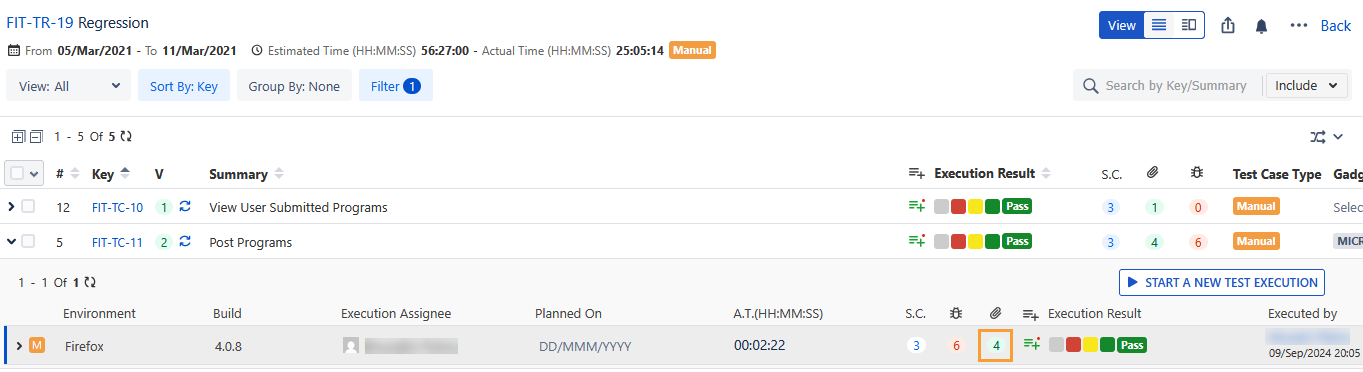
The Attachments screen appears. The screen displays attachments added on the test case detail screen and test execution screen.
Attach the file following either of the ways:
Browse the file to attach
Drag and drop the file to attach
Copy and paste the file to attach
Once uploaded, the details of the attached file are displayed in the grid.
Note
The Preview option is available for JPG, PNG, PDF, and JSON, file formats.
You can filter the attachments in accordance with their place of association - From the test case detail screen (Test Case and Test Step Attachment) and from the Execution Screen (Test Case and Test Step Execution Attachment.
To download the attachment, hover over the attachment and click the Download icon.
To copy the link address of the attachment, hover over the attachment and click the Copy Link Address icon.
On the execution screen, the Attachment icon changes color once a file is attached to the test step.
Switch to Strip View
You can view the attachments either in Strip View or List View.
To view the attachment in Strip View, click the More icon and select the Switch to Strip View option.
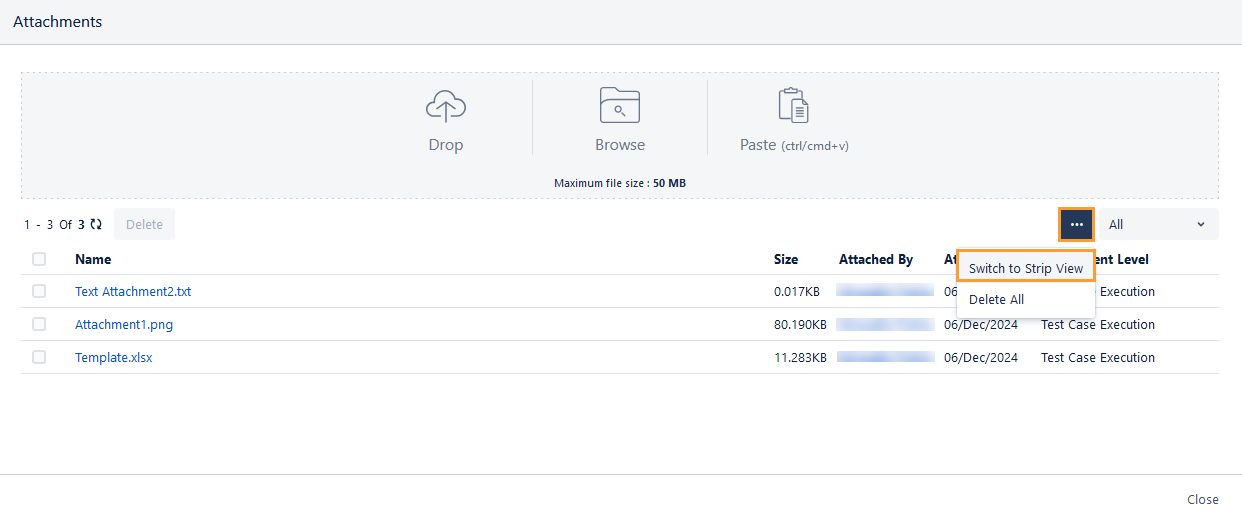
The attachments are displayed in Strip View.
To go back to the List View, click the More icon and select the Switch to List View option.
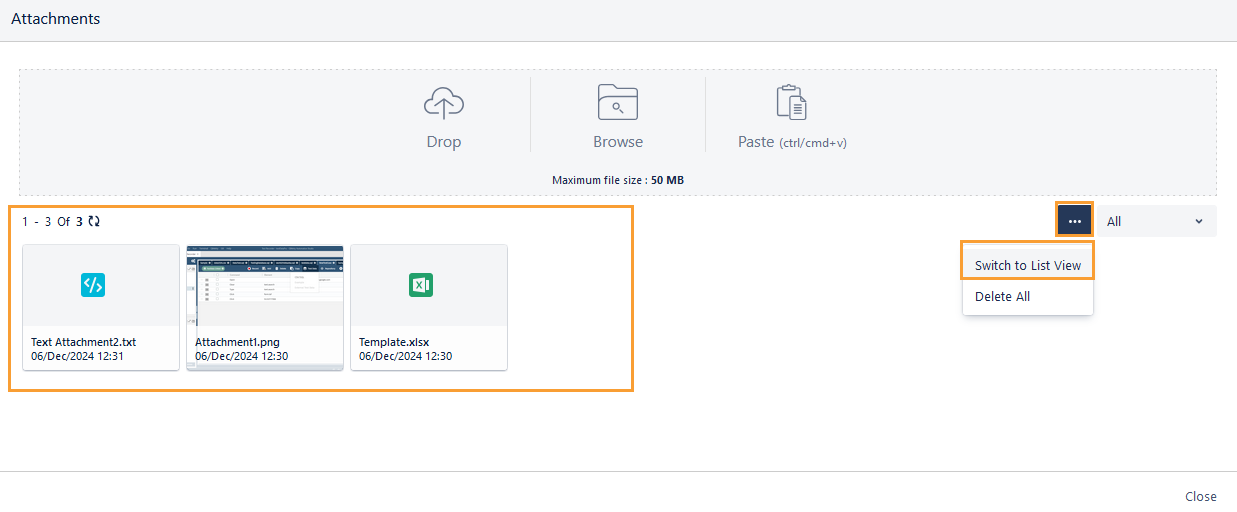
Add Attachments to Test Step
The Attachments screen at the test step level displays attachments added on the test case detail screen (Test Step Attachment) as well as attachments added on the test execution screen (Test Step Attachment).
Perform the following steps to add attachments to test steps:
Navigate to the Test Execution screen.
Expand the test case and its steps.
Click the Attachment icon for the particular test step.
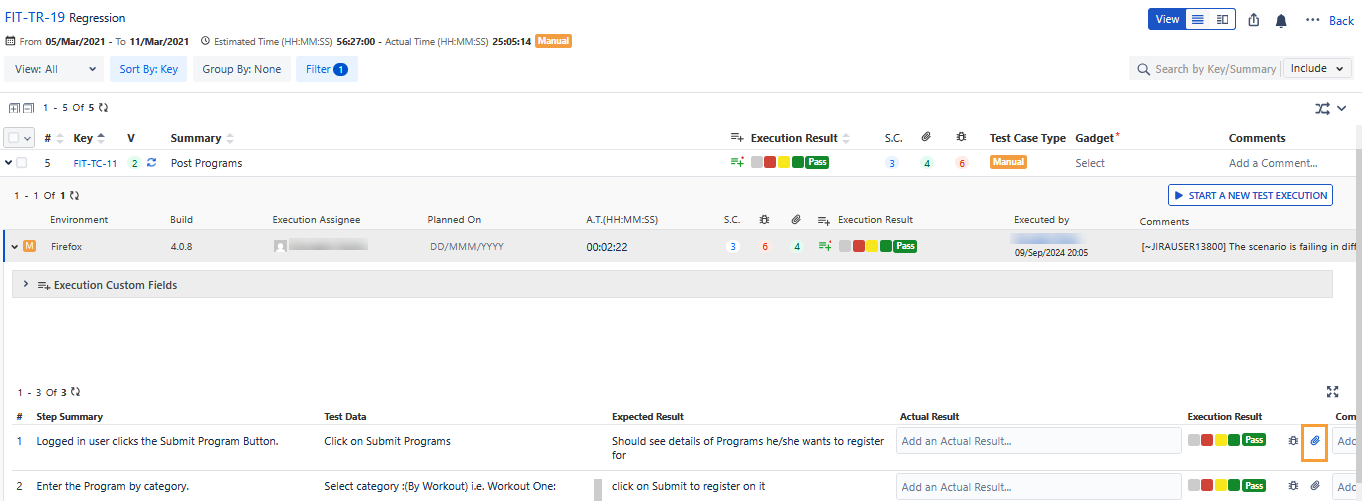
The Attachments screen appears. The screen displays attachments added on the test case detail screen (Test Step Attachment) and the test execution screen (Test Step Attachment).
Follow either of the methods to attach the file:
Browse the file to attach
Drag and drop the file to attach
Once uploaded, the details of the attached file are displayed in the grid. Click the attached file or image to preview it without downloading the attachment. In the preview window, click the Download icon to download the file.
Note
The Preview option is available for jpg, png, PDF, and JSON, file formats.
You can filter the attachments in accordance with their place of association - From the test case detail screen (Test Step) and from the Execution Screen (Test Step Execution).
To download the attachment, hover over the attachment and click the Download icon.
To copy the link address of the attachment, hover over the attachment and click the Copy Link Address icon.
On the Execution screen, the Attachment icon changes color when a file is attached to a test step.
Delete Attachments
Attachments are added from the test case detail screen and execution screen. You can delete attachments in accordance with their Attachment Level. If an attachment added from the test case detail screen (test case attachment and test step attachment) is deleted, it also gets removed on the execution screen without any manual sync.
Attachment Level | Attachment can be deleted from |
|---|---|
Test Case | Test Case Detail Screen |
Test Step | Test Case Detail Screen |
Test Case Execution | Execution Screen - test case level |
Test Step Execution at sequence number # | Execution Screen - test step level |
Delete a Single Attachment
To delete a single attachment, click the Delete icon for individual attachments.
Delete Attachments in Bulk
Perform the following steps to delete multiple attachments at a time:
Select the attachments you want to delete.
Click the Delete button.