Link Selected Test Cases to Test Cycle from Jira Story
In addition to linking a Jira story to a new/existing test cycle, you can select test cases from the Jira story page to link to an existing test cycle in QMetry for Jira. It will directly associate the test cases with an existing test cycle. In the Test Cycle section, you can view the associated test cases in the Test Cases tab. The feature allows you to link readily available test cases to a test cycle without linking a story to the test cycle.
Perform the following steps to link test cases to the test cycle:
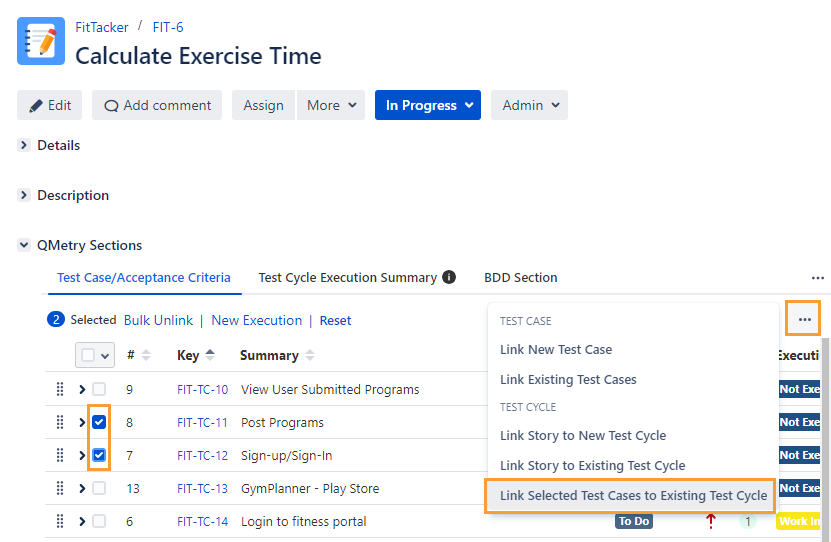
Select test cases, click the ellipses (…), and select the Link Selected Test Cases to Existing Test Cycle option.
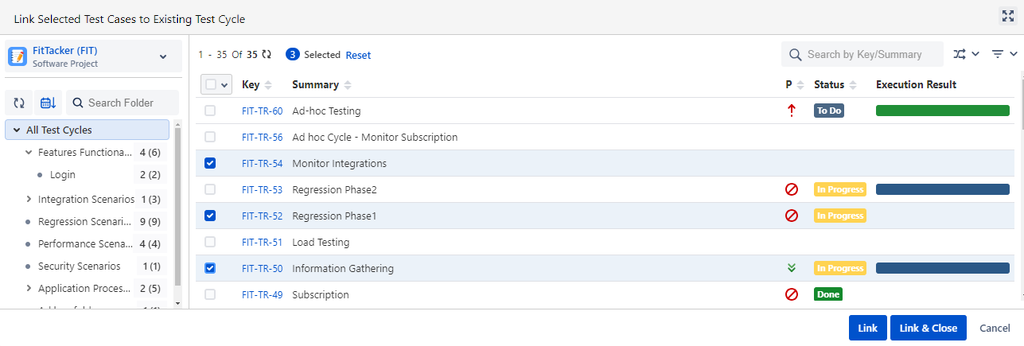
The screen appears with the list of test cycles.
Select the test cycle to which you want to link the selected test cases.
You can select multiple test cycles of the same project and cross projects.
Note
You can select up to 20 test cycles at a time.
Click the Link or Link & Close button.
Link: Select the test cycle you want to link with the test case and click on the Link button. Once the test cycle is linked, the pop-up still remains open to let you link further test cycles.
Link & Close: You can link test cycles with the test case and close the pop-up. Select the test cycle to be linked with the test case and click on the Link & Close button.
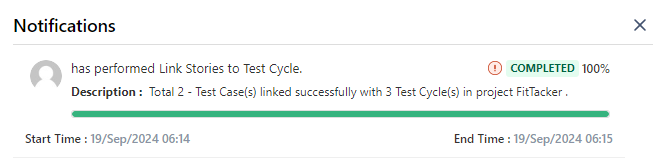
The message appears with the navigation link to the Notification section. You can check the linking progress and status in this section.
The link navigates you to the notification section of either the current project or a cross project, depending on how the test cases are linked.
As an alternate way, you can go to the Test Management section and click the Bell icon to view the background processes.
The Notifications section displays the status of the linking process.
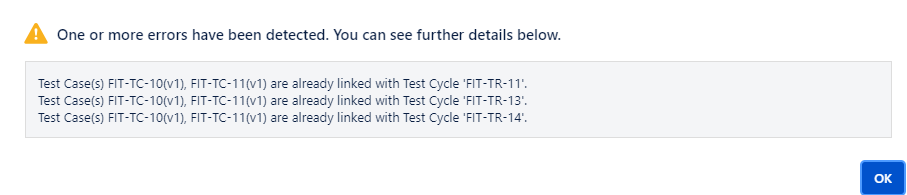
Warning on already linked test cases: If the test cases are already linked to the test cycles, a warning icon is displayed with the status.
Click the icon to view the details.
You can see the test cases are added to the Test Cases tab of the test cycle.
Stack All Panels in a Single Section
Global Settings for Display View for QMetry Sections feature enables the Jira Admin to apply the global settings to automatically organize all QMetry panels into a single section that enhances the loading performance of Jira Issues. Refer to Display View for QMetry Sections.