Create a Sub-Task from Grid View Execution Screen
In addition to linking sub-tasks and sub-defects, users can also create sub-tasks or sub-defects directly from the test execution screen at the test case or step level with the purpose of enhancing efficiency and streamlining the workflow.
Prerequisites:
The Sub-task issue type should have been added to the Issue Type Scheme of the project.
The Sub-task issue type should be enabled in QMetry Project Settings > Issue Type > Bug.
Creating and linking a sub-task to a test case
Perform the following steps to create and link a sub-task to a single test case:
Click the Create button and select the Create Sub-Task option.
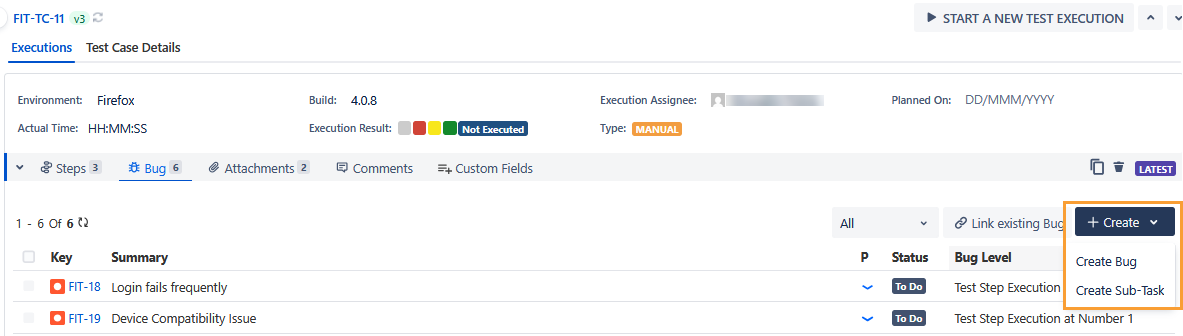
The Create Sub-Task screen appears.
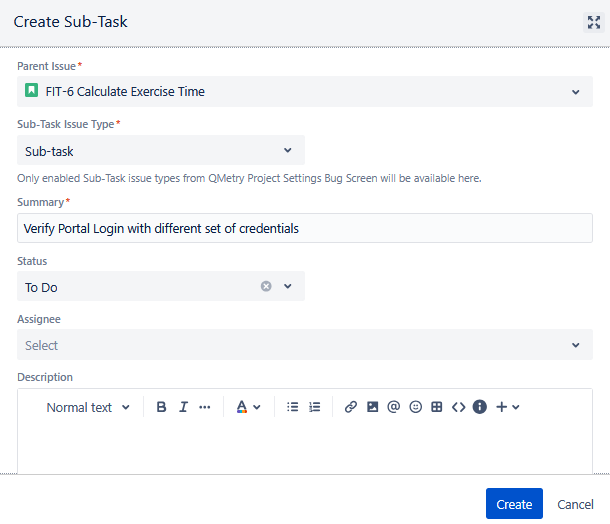
Enter the following fields.
Parent Issue: Select the parent issue from the drop-down list as the sub-tasks and sub-defects are always associated with a parent issue type/key and can not be created independently like other issue types. The sub-tasks are linked to the selected story and displayed in the Subtasks section on that story detail page in Jira.
Sub-Task Issue Type: Select the sub-task issue type from the drop-down list.
Note
The Sub-task issue type is listed only if it is enabled in the Bug Issue type under QMetry Project Settings.
Once you select the Sub-Task, the fields show up on the screen.
Enter the details in the fields and click Create.
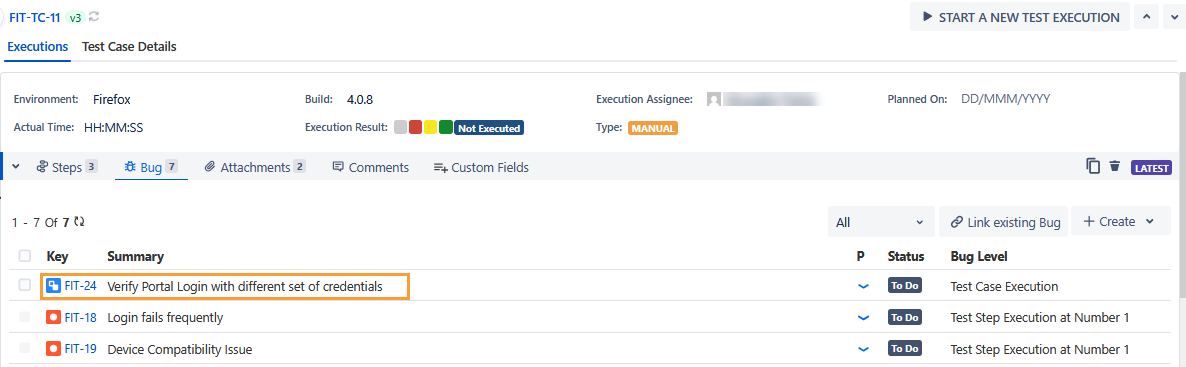
The sub-task is created on the Bug tab on the execution screen.
The sub-tasks are linked to the selected story and displayed in the Sub-Tasks section on that story detail page in Jira.
Creating and Linking a Sub-Task to Multiple Test Cases
Perform the following steps to create and link a sub-task to multiple test cases:
Select the test cases to which you want to link bugs.
Click the Bulk Operations option.
Click the Link Bugs submenu and select Create Sub-Task.
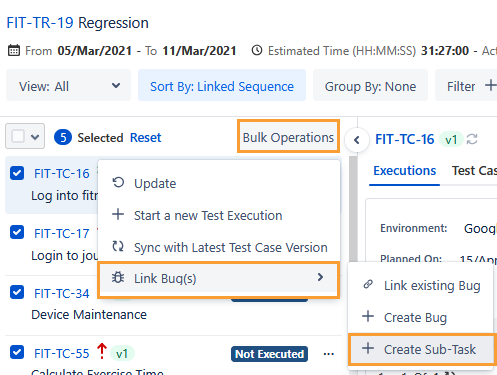
The Create Sub-Task dialog appears.
Enter details in the following fields.
Parent Issue: Click the drop-down list and select the parent issue. The sub-tasks are linked to the selected story and displayed in the Subtasks section on that story detail page in Jira.
Sub-Task Issue Type: Click the drop-down list and select the sub-task issue type.
Note
The Sub-Task issue type is listed only if the Sub-Task is mapped to the Bug issue type in the Issue Type configuration under Project Settings.
The relevant fields appear on the screen once you select the Sub-Task Issue Type.
Enter other details and click Create.
The sub-task is created and linked to the test cases.
The sub-tasks are linked to the selected story and displayed in the Subtasks section on that story detail page in Jira.