Edit Test Cases
Note
QMetry Test Management for Jira uses Jira’s native editor, and some characters, like backslashes, used in the wiki markup body, become unusable by default. This is a technical limitation from Jira's end. As a workaround, we suggest you use the Code from the rich text editor to mention any text containing backslashes.
Required Permission: You must have Test Case Edit and Archive permissions to edit the test case details.
Inline Editing of a Test Case
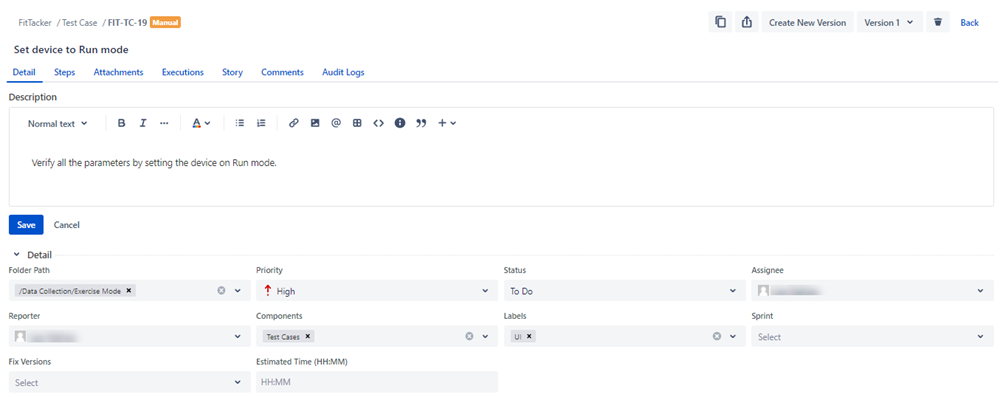
You can edit the values of the test case details in line. Select the required tab for the test case and edit the details. You can rearrange the tabs as per your preference.
Note that the Test Case Type - Manual/Automated can not be edited manually. It depends on how the test case has been created. Manually created test cases, imported test cases, or test cases added through Open API will have the Test Case Type “Manual”. Test Cases added through Automation will have the Test Case Type “Automated”.
Edit a Test Case from Test Case List View
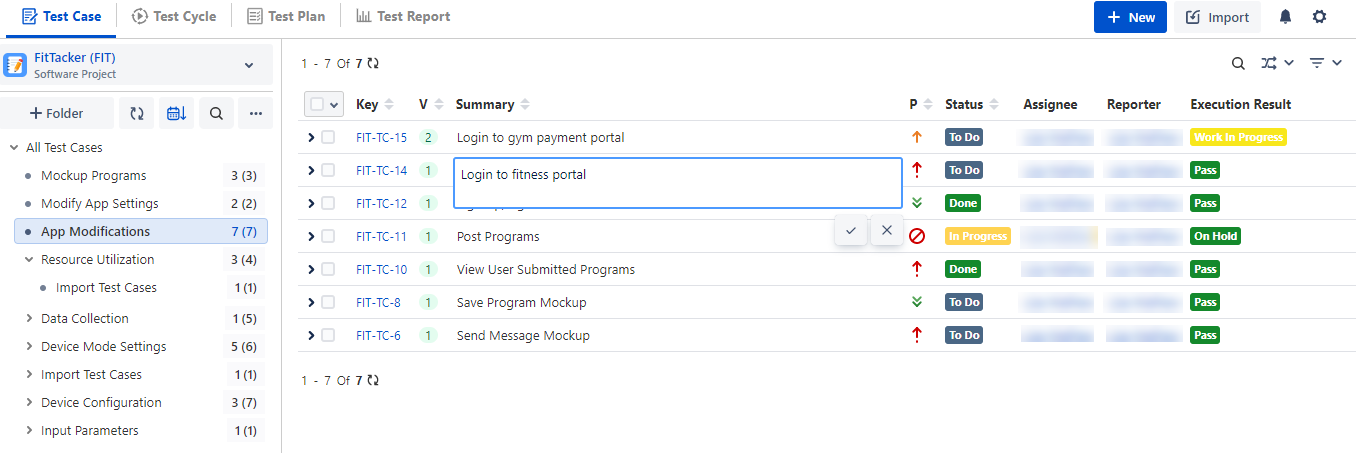
You can also edit the test case summary and test steps from the test case list view.
Edit Test Case Summary: Go to the test case list view and click the test case summary that you want to edit. The field opens in editable mode. Make the required changes and save.
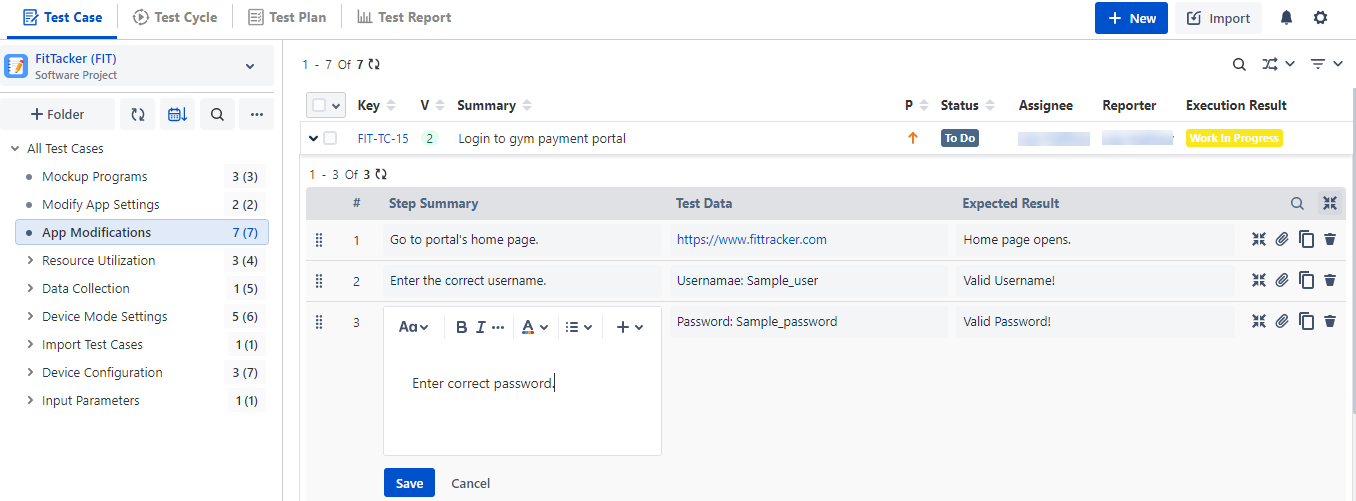
View/Add/Edit/Clone/Delete Test Steps Inline: You can add a new test step or edit an existing test step directly from the test case list view without opening the Steps tab of a test case detail page. Expand the test cases under which you want to add/edit test steps. Add the required steps or edit the existing steps inline. The changes in steps are reflected in that particular version of the test case.
Edit a Test Case Version
Perform the following steps to edit a test case version:
Select a test case version from the version drop-down list.
The screen displays the test case details of that particular version.
Make changes in the field values and save.
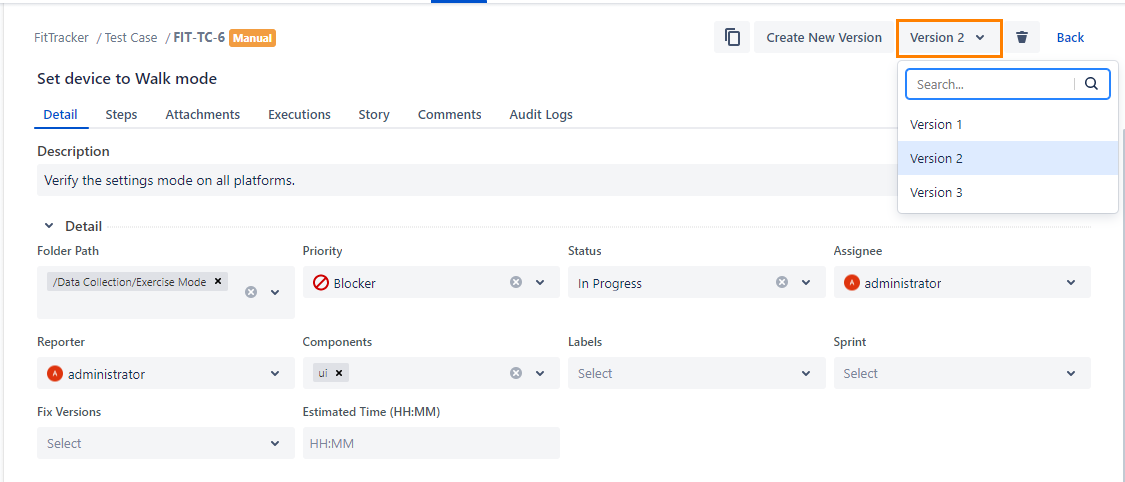
Bulk Update Test Cases
You can edit test cases of a particular folder in bulk. It is useful when a bunch of test cases are identified to be marked as identical.
Note
A maximum of 1000 test cases can be updated in bulk at a time.
You can select all the test cases of the current page as well as across all the pages. For this, open the selection box on the header and select the required option.
For example, the QA team has to mark 10 test cases with "Done" Status or "High" Priority.
The feature provides a quick way to update test cases in bulk at a time instead of opening the test cases one by one.
Perform the following steps to edit test cases in bulk:
Select the test cases that you want to edit.
If the Display Test Cases of Sub Folder(s) option is selected on the tree, then the screen at right will include test cases of the parent folder anad its sub-folders. So, make sure you select only the required test cases.
The count of selected test cases will be displayed adjacent to the Bulk Operations drop-down menu.
Selection of Multiple entities at a time: To select entities within a range on the current page, select the first entity’s check box and then select the last entity’s check box, and simultaneously hold the SHIFT key of the keyboard. All the entities between these two entities will get automatically selected.
Once you select the test cycles that you want to edit, the options for bulk operation become visible on the screen.
Click More icon and select the Update option.
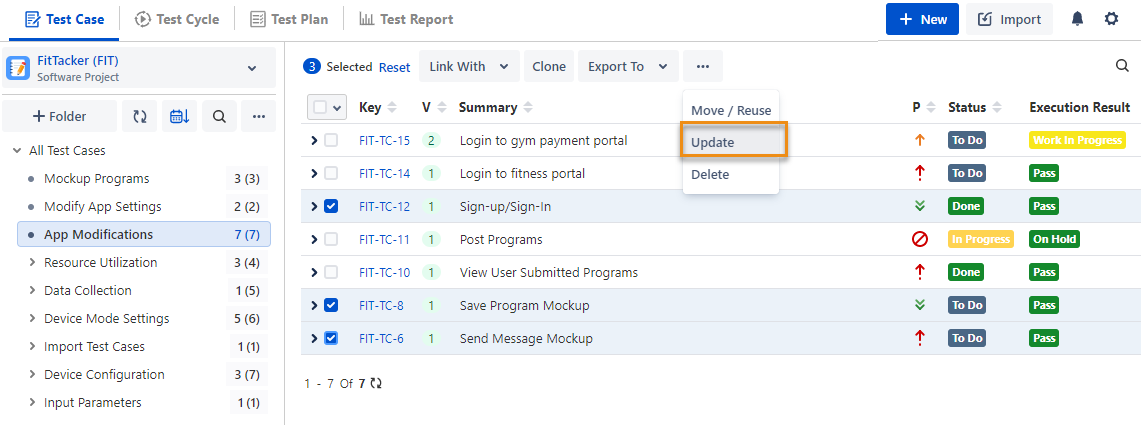
The Update screen appears.
Enter/select the value in the fields and click Update.
For multi-select drop-down fields (for example, Components, Labels) and check boxes (for example, Fix Versions), two options are available to update the test case:
Replace all with: If selected, it will replace the older field values with the latest ones. For example, the field value "A" is already there. Now "B" and "C" are added. The updated field value is "B", "C".
Append to existing: If selected, the new value will be appended to the list, keeping the older value unchanged.
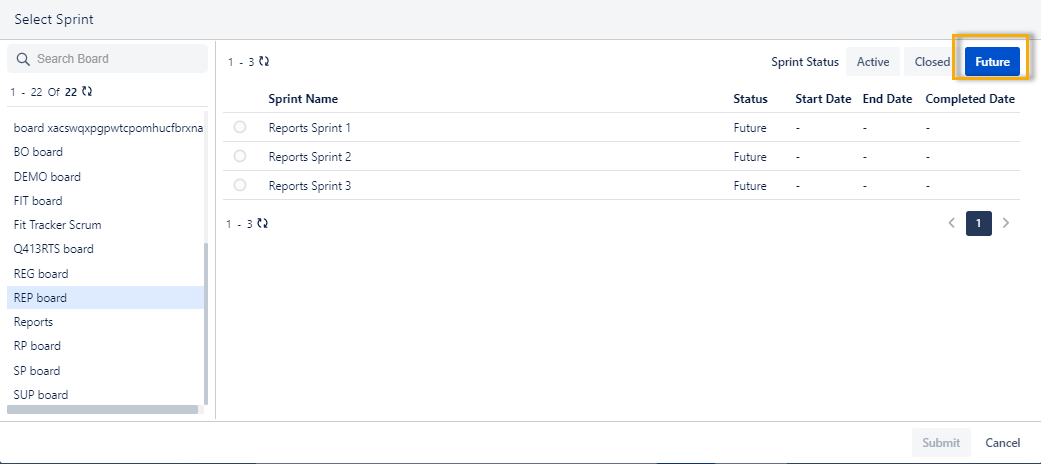
For bulk update using the “Sprint” option, a list of boards across the Jira instance is available to choose from Active, Closed, and Future.