Create Test Cases from Jira Issue Page
QMetry Test Management for Jira allows users to directly create and link test cases from the Jira issue page. You can also use these test cases across projects directly from the Jira issue page.
Perform the following steps to create test cases from the Jira issue page:
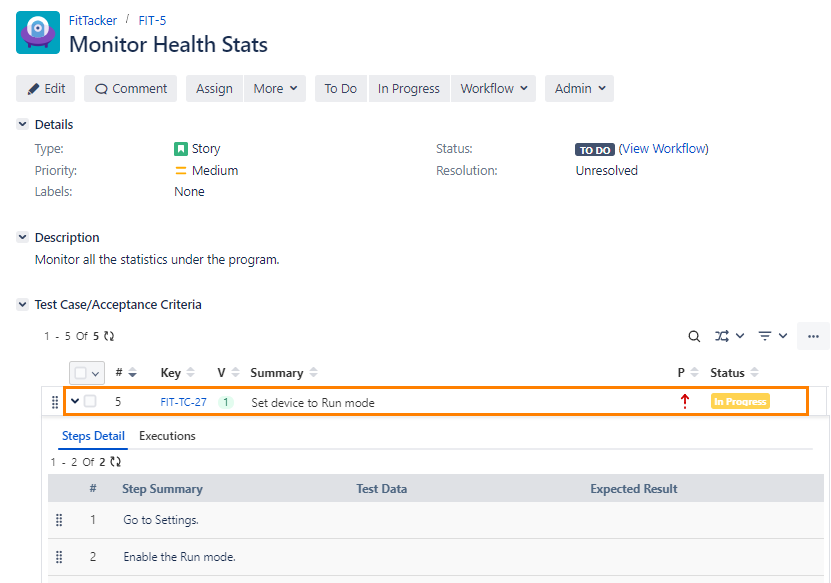
Go to the Jira issue detail page. If the QMetry for Jira add-on is configured with Jira, you can see the Test Case/Acceptance Criteria pane.
Tip
Read about Enable QMetry Features for Jira Project.
To create a new test case from Jira, click the ellipsis (...) icon on the Test Case/Acceptance Criteria section and select Link New Test Case.
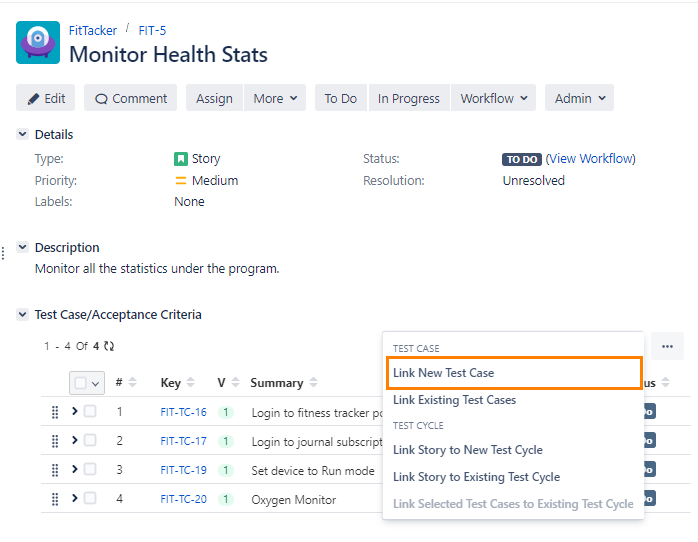
The Create New Test Case screen appears in QMetry Test Management for Jira.
Enter test case details and click Create.
Note
QMetry Test Management for Jira uses Jira’s native editor, and some characters, like backslash, used in the wiki markup body, become unusable by default. This is a technical limitation from Jira's end. As a workaround, we would suggest you use the Code from the rich text editor to mention any text containing backslashes for Step Summary, Test Data, and Expected Result text boxes.
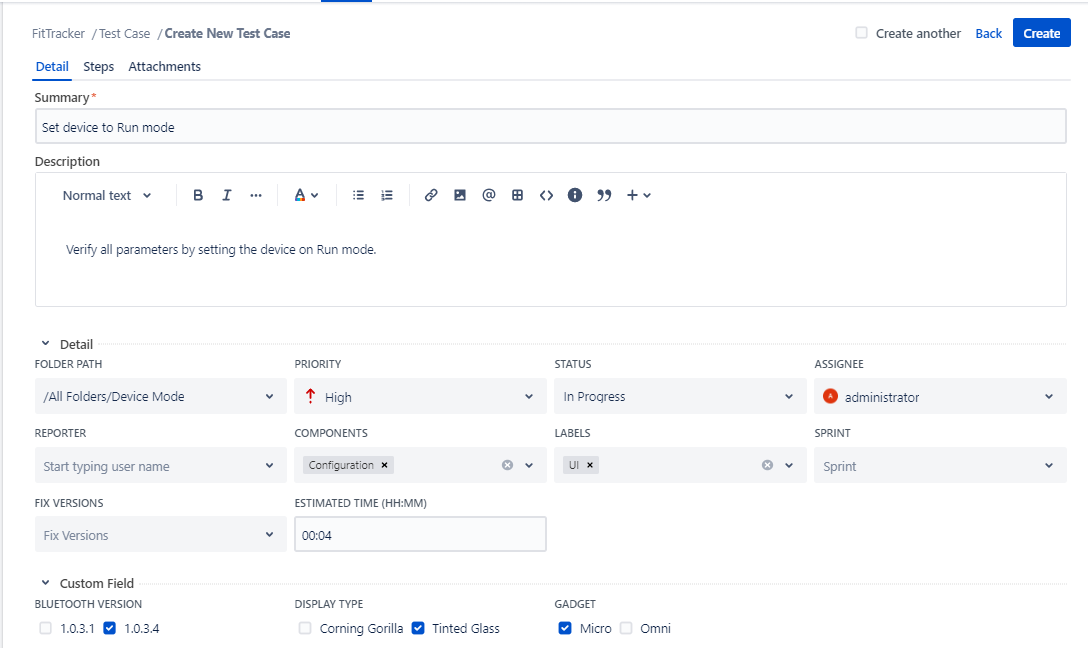
The new test case is created in the Test Case module.
In Jira, test cases are added to the issue. Expand the test case to reveal additional details. When expanded, each test case displays its step details and the test cycles it is associated with.