Clone Test Cases
You can create a clone of existing test cases with their test steps.
Clone Test Case from Test Case List View
You can use the inline clone feature to clone individual test cases.
For example, Testers need test cases for the next release. These new test cases may have some common field values with existing test cases. The test case needs to be a copy of the existing test case. So they create a copy of the existing test case using the Clone feature.
On clone, the latest version will be copied to the new test case.
Perform the following steps to clone a test case:
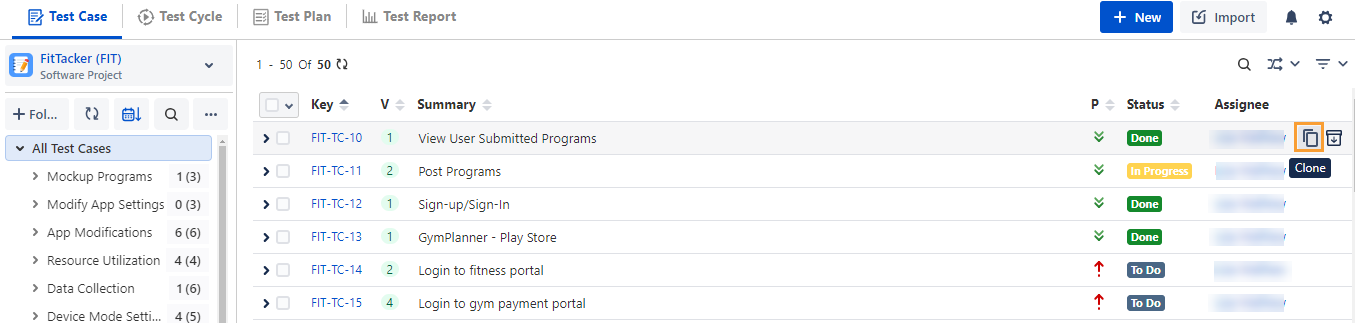
Hover over the test case. The icons for Clone and Delete become visible.
Click the Clone icon to create a copy of the existing test case.
Clone Test Case from Test Case Detail Page
To clone test cases from the test case detail page:
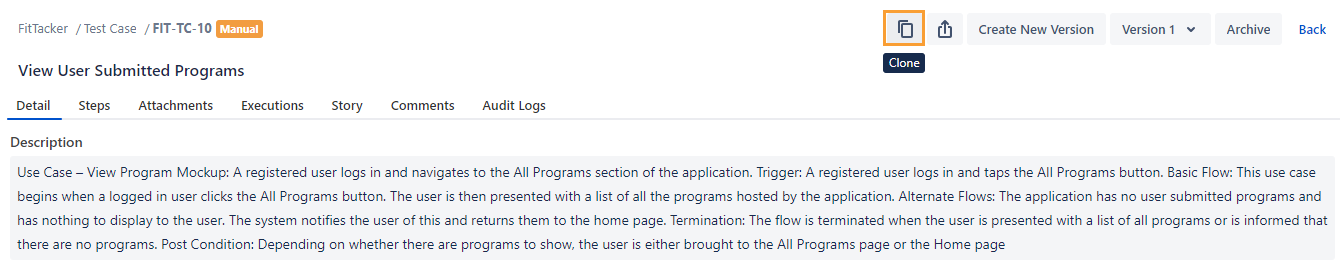
Go to the test case detail page that you want to clone.
Click the Clone icon.
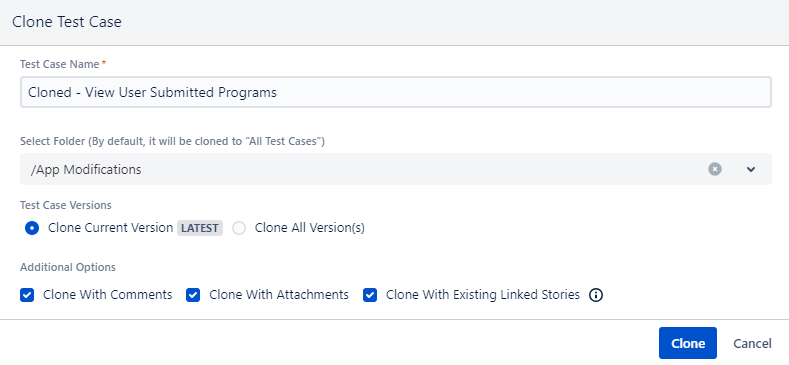
The Clone Test Case screen appears.
Test Case Name: The test case name is populated with “Cloned” prefixed to the existing name. You can change the name as per your preference.
Select Folder: You can select/change the test case folder in which you want to keep the cloned test case.
Test Case Version: Select either Clone Current Version or Clone All Versions.
Additional Options: You can opt to clone the test case with Comments, Attachments, and linked stories.
Clone with Linked Story: While cloning test cases individually or in bulk, you have the option to preserve the linkage with associated stories, which helps maintain traceability.
Note
Required Permissions: You must have the Requirement Edit, Test Case Create, and Test Case Edit permissions to clone a test case with linked stories.
Note
A maximum of 100 story linkages can be preserved when cloning a test case. If a test case has more than 100 linked stories, it will be cloned without those story linkages to ensure optimal system performance.
Click Clone to clone the test case with the selected criteria.
Clone Test Case from Story Details Page
You can clone the associated test case version directly from the Story page. The cloned test case version is automatically linked to the same story, saving time required in create similar test cases and link them to the same story.
Note
The current version of the test case will be linked with the story.
Perform the following steps to clone test cases from the story details page:
Go to the story detail page.
Hover over the test case that you want to clone, and then click the Clone icon that becomes visible on hover.
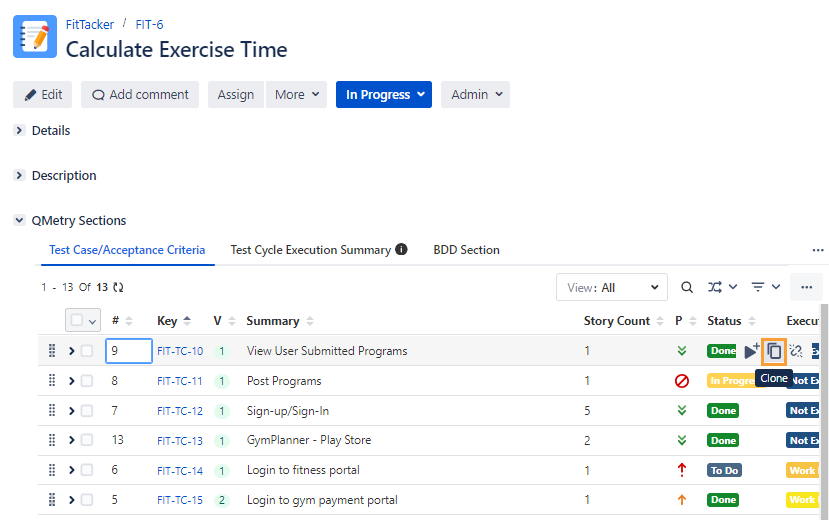
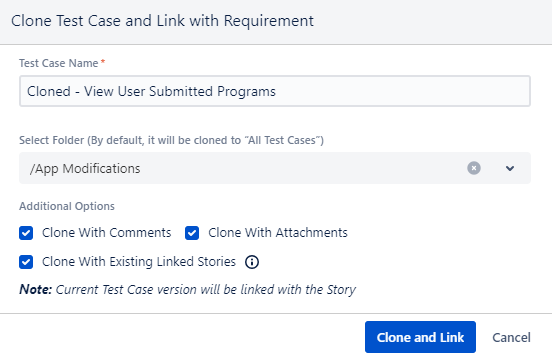
The Clone Test Case and Link with Requirement dialog appears.
Test Case Name: The test case name populates with “Cloned” prefixed to the existing name by default. You can change the name as per your preference.
Select Folder: You can select/change the test case folder in which you want to keep the cloned test case.
Additional Options: You can select options -
Clone with Comments
Clone with Attachments
Clone with Linked Story: While cloning test cases individually or in bulk, you have the option to preserve the linkage with associated stories, which helps maintain traceability.
Note
A maximum of 100 story linkages can be preserved when cloning a test case. If a test case has more than 100 linked stories, it will be cloned without those story linkages to ensure optimal system performance.
Click Clone and Link to clone the test case and link it to the requirement or story.