Remove Linkages Between Jira Issue and Test Case
Unlink Test Cases from Jira Story Page
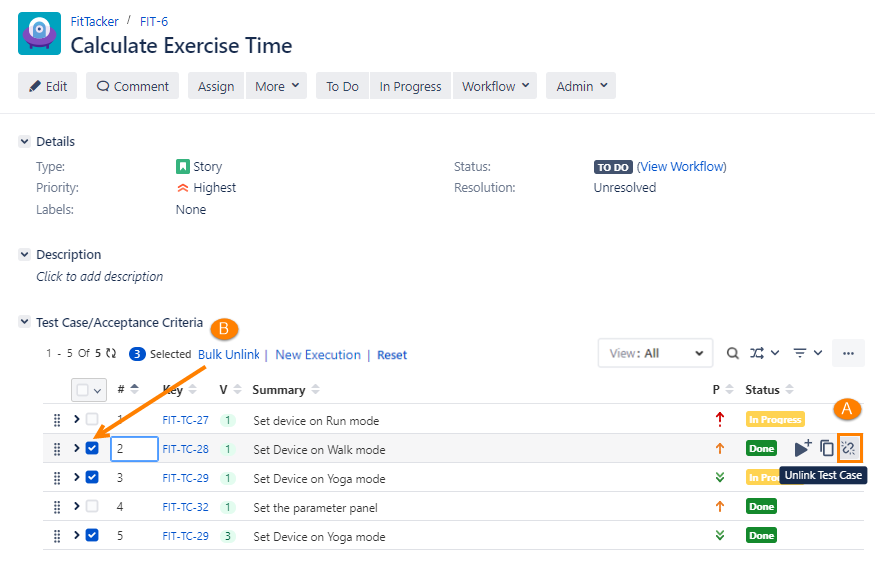
A. Unlink a Single Test Case: Hover the mouse over the test case that you want to unlink. The Unlink icon becomes visible. Click the Unlink icon.
B. Unlink Multiple Test Cases: Select the test cases that you want to unlink from the story and click Bulk Unlink.
Unlink Test Cases from Test Management > Test Case
Refer to Plan Test Cases in Story.
Unlink Test Cases from Test Management > Test Cycle
Refer to Link Test Cases to a Test Cycle.
Stack All Panels in a Single Section
The Global Settings for Display View for QMetry Sections feature enables Jira Administrators to apply global settings that automatically organize all QMetry panels into a single section, thereby improving Jira Issue load performance. Refer to Display View for QMetry Sections.