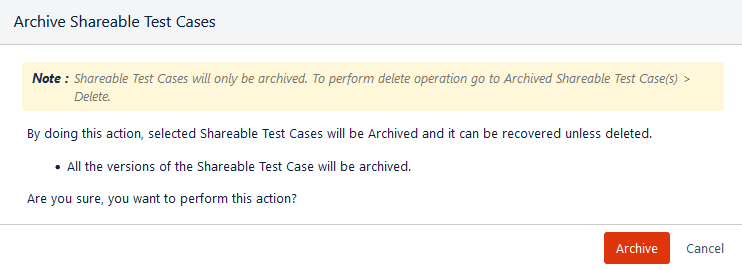
Archive Shareable Test Cases
You must archive test cases before deleting them. The Archive Testcases feature helps prevent accidental deletion, so you can delete test cases only after archiving them. You can archive test cases that are no longer in use to remove them from the active test case list. Archiving moves unwanted test cases out of view without permanently deleting them.
You can unarchive test cases anytime to return them to the active list. If you no longer need them, you can delete the archived test cases.
Impact of archiving test cases:
All the versions of the test case will be archived.
If a shareable test step is archived, the existing execution of that shareable test step will be preserved along with attachments.
Note
Permission required: You must have the Edit Test Case permission to archive the shareable test cases.
You can archive a single test case and bulk test cases.
Archive a Single Test Case
Perform either of the following steps to archive a single shareable test case.
(A) Navigate to the Shareable Test Case view as mentioned in the View Shareable Test Cases. Hover over the test case that you want to archive and click the Archive icon.
(B) Navigate to the shareable test case detail page and click Archive.
Once the test case is archived, it can not be edited. You get options only to unarchive or delete the archived test case.
Archive Bulk Test Cases
You can archive multiple test cases in bulk at a time.
Perform the following steps to archive test cases in bulk:
Go to the Shareable Test Cases section on the test case list view.
Select test cases that you want to archive.
Selection of Multiple entities at a time: To select entities within a range on the current page, select the first entity’s check box and then select the last entity’s check box and simultaneously hold the SHIFT key of the keyboard. All the entities between these two entities will get auto-selected.
Select All:
Select all records on the current page: Clicking on the check box in the column header selects all the records on the current page only. An alternate way is to open the check box drop-down and select Current Page.
Select all records across all pages: Open the check box drop-down and select the Across All Pages option.
Once you select the test cases that you want to archive, the Archive button becomes visible on the screen.
Click Archive.
The Archive Test Cases screen appears.
Click Archive to archive the selected test cases.
View Archived Test Cases
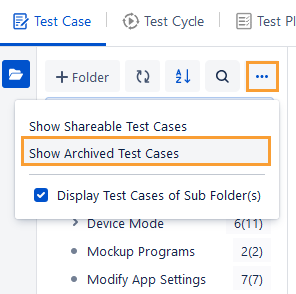
To view only archived test cases on the list, open the more icon above the folder tree and click the Show Archived Test Cases option.
The screen displays all the archived test cases.
To view the archived shareable test cases, click the Archived Shareable Test Cases section on the pane at left.
You can either delete or unarchive the archived test cases.
Delete: It will delete the shareable test case permanently and remove all references of the shareable test case from linked entities.
Unarchive: The archived test case will turn active. The unarchived test cases will be moved to the Shareable Test Cases section.
Archived Shareable Test Step in the Test Case
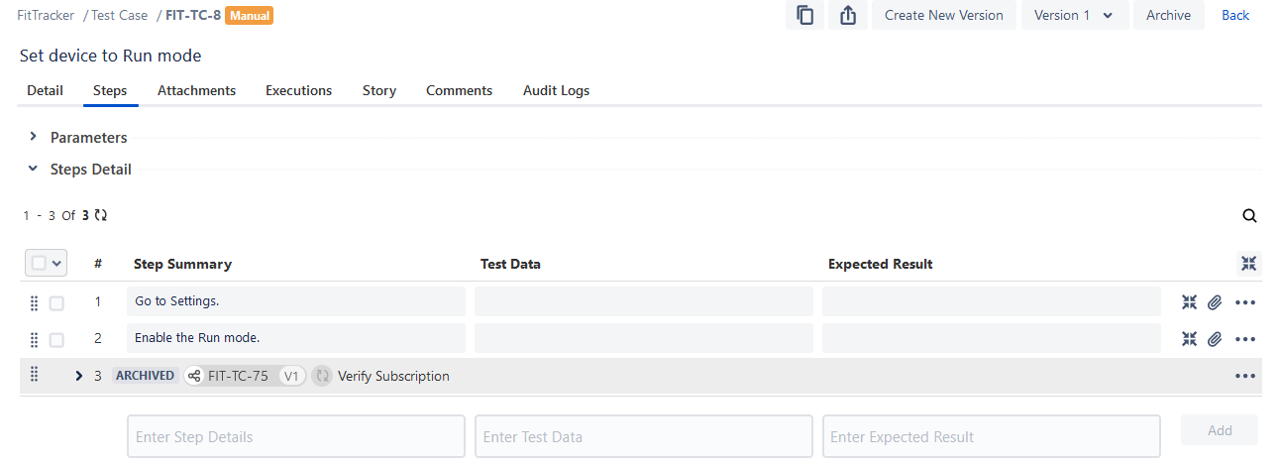
The archived shared steps appear with the “Archived” label in the test case when reusing it. You can not perform any operation on it.
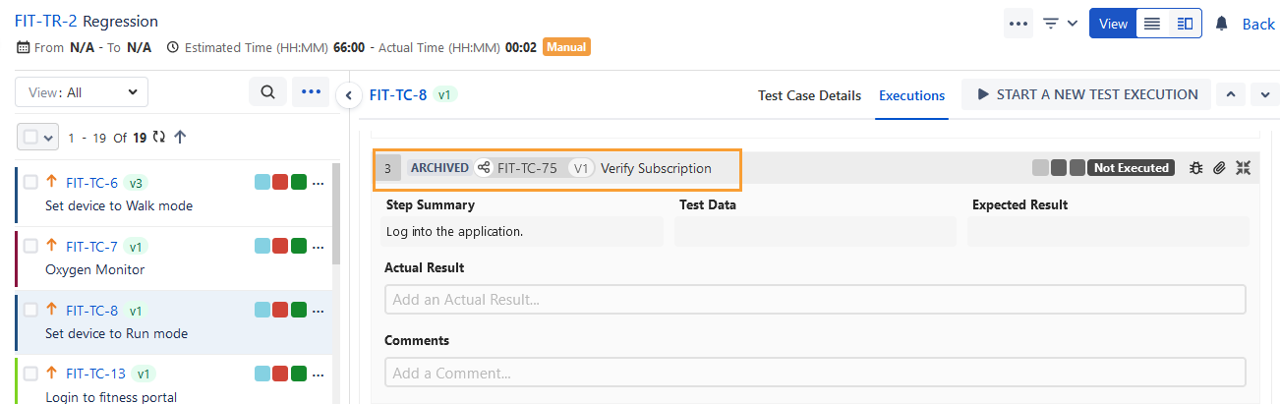
Archived Shareable Test Step on the Execution Screen
The archived shareable test steps appear with the “Archived” label. These archived shareable test steps will remain disabled on the execution screen.