View Report
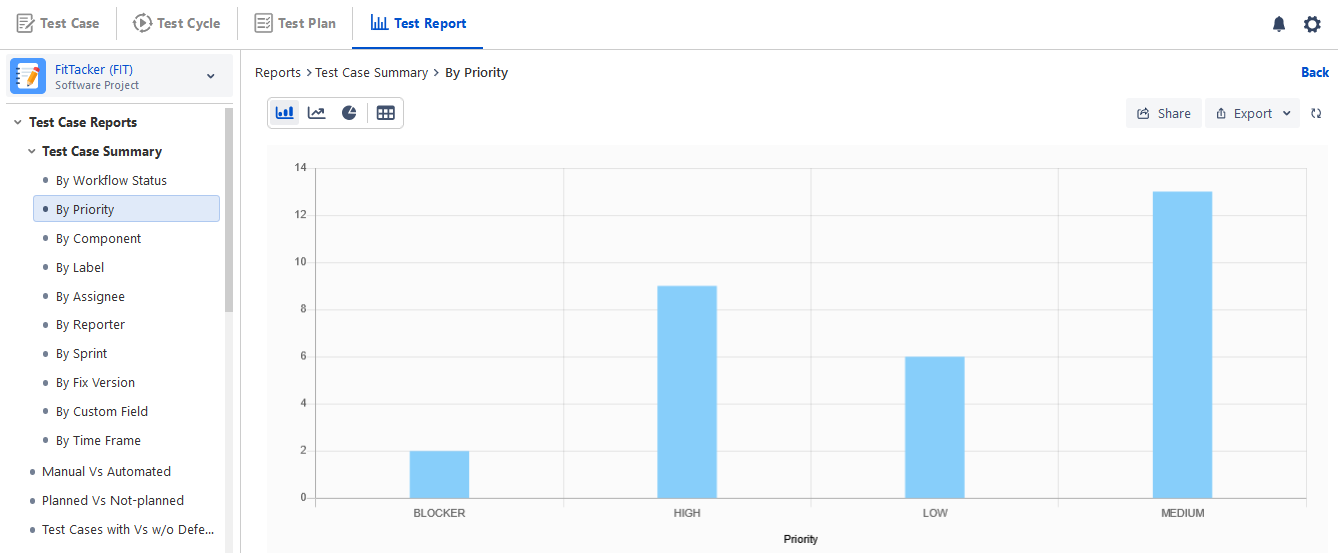
Once the report is configured with required filters and generated the report can be viewed in the following different formats.
Graphical View
As soon as the report is generated, its graphical view opens.
The visual presentation of the reports can be generated in -
Bar chart
Line chart
Pie chart
Click the chart icon and select the chart type you want to view the report in.
The bar chart shows the build name up to 20 characters on the x-axis.
Tabular View
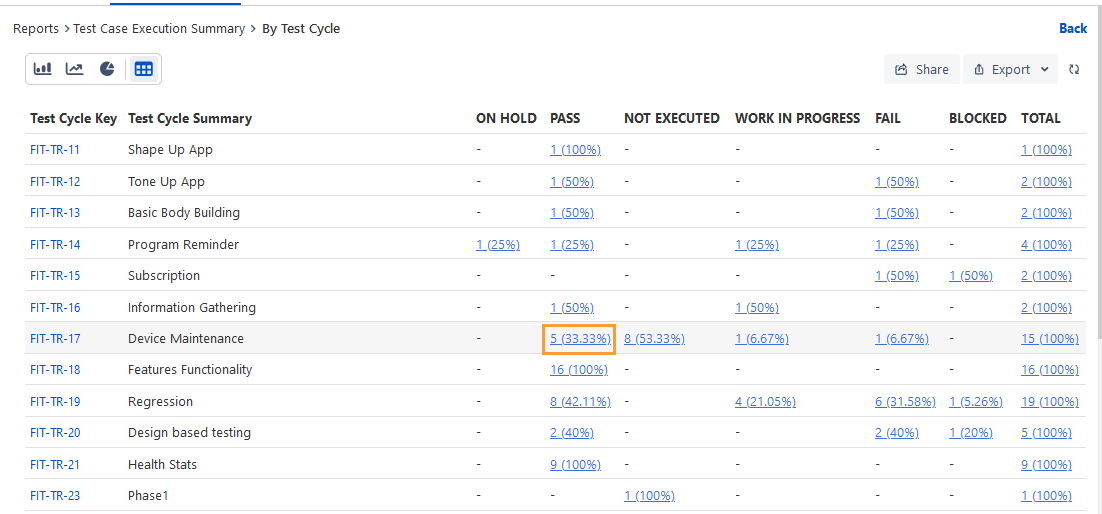
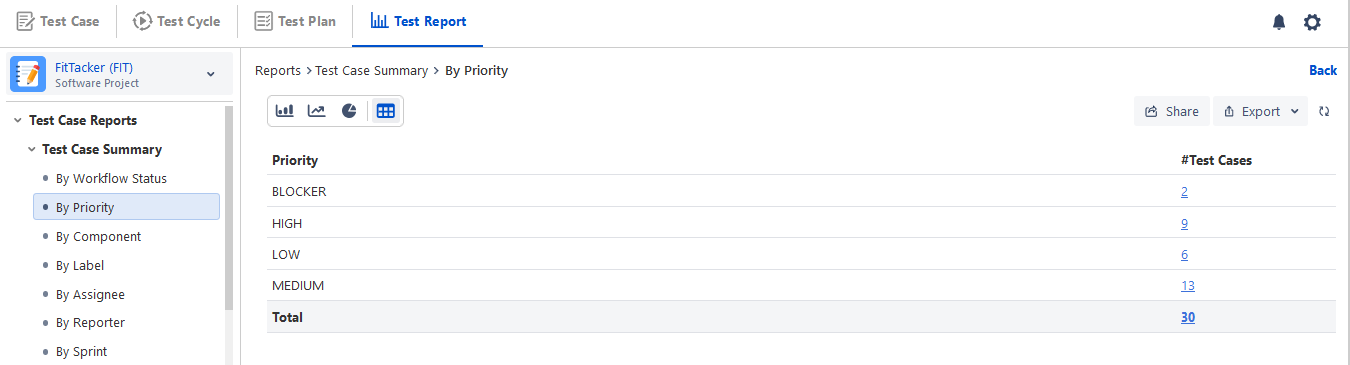
You can also view the report in tabular form. The tabular view provides information in rows and columns. Click the table icon to view the report in tabular format.
Drill Down Reports
For graphical view, you can drill down the chart by clicking on the required portion/bar/point of the chart. You can view the tabular format of the graphical chart.
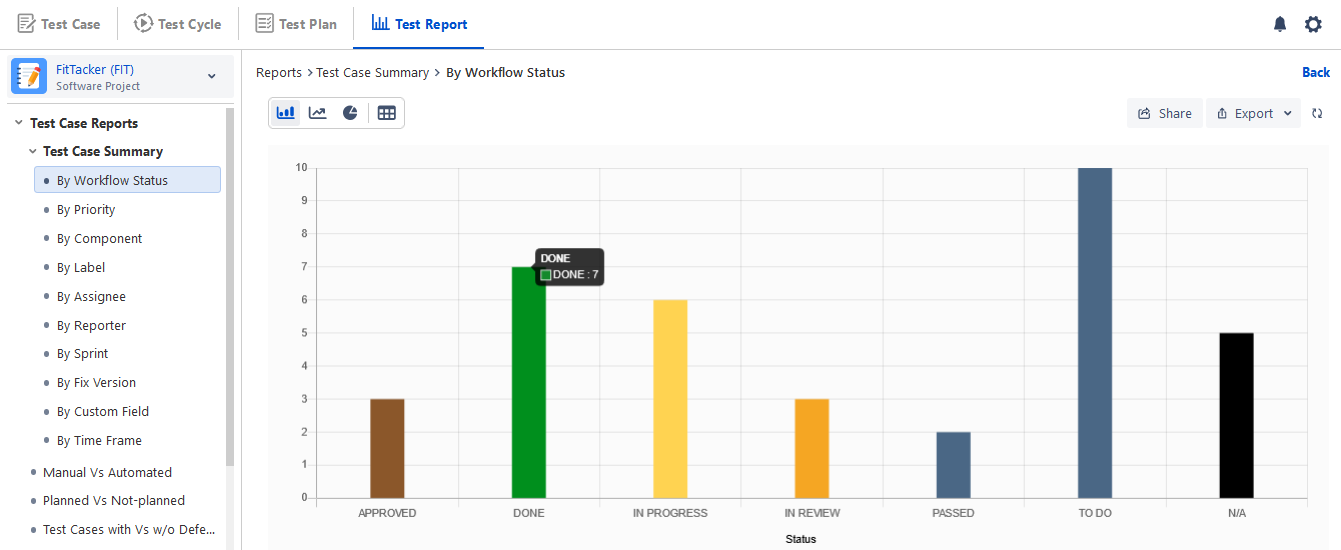
Drilling down the report displays the report details in a table format.
The asset keys in the drilled-down report are clickable, which opens the asset detail page.
You can also export the report With Steps or Without Steps in Excel by opening the Export menu and selecting the required option.
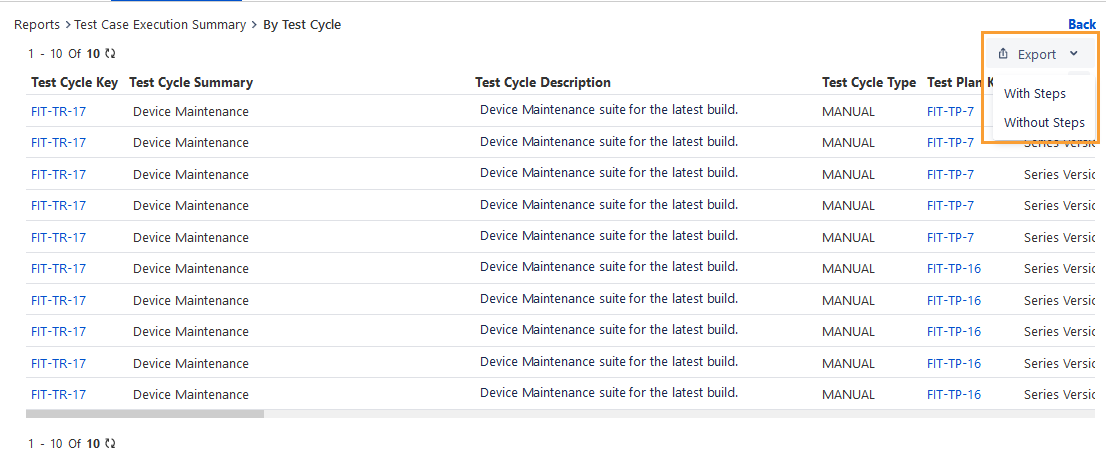
For tabular view, you can drill down the chart by clicking the link provided on respective counts.