Test Case Reports
Generating reports on the basis of Test Cases becomes equally important for the managers or lead testers. Test Case report provides standard industry matrices used by QA managers & Testers to get a summarized view on test automation coverage, execution coverage, Test Cases affected with a bug for a combination of Project, Release, and Cycle.
You can refer to the documents for more information on Configure and Generate Report and View Report.
The reports can be viewed in the following formats:
Bar Graph: Test Case data based on filters applied (before report generation) will be displayed in the form of a Bar Graph.
Line Chart: Test Case data based on filters applied (before report generation) will be displayed in the form of a Line Chart.
Pie Chart: Test Case data based on filters applied (before report generation) will be displayed in the form of a Pie Chart.
Tabular View: Test Case data based on filters applied (before report generation) will be displayed in the form of a Tabular View.
Test Case Summary
The report shows a summary of test cases grouped on the basis of one of the following criteria of the test cases:
By Workflow Status
By Priority
By Component
By Label
By Assignee
By Reporter
By Sprint
By Fix Version
By Custom Field
Note
Test Case Summary by Custom Field report can be generated only for a single project.
Only one custom field can be selected at a time.
The report can be generated for all types of custom fields except the “Single Line Textbox” and “Multi Line Textbox” types of custom fields.
The drill down and Export functionalities are available, similar to other reports.
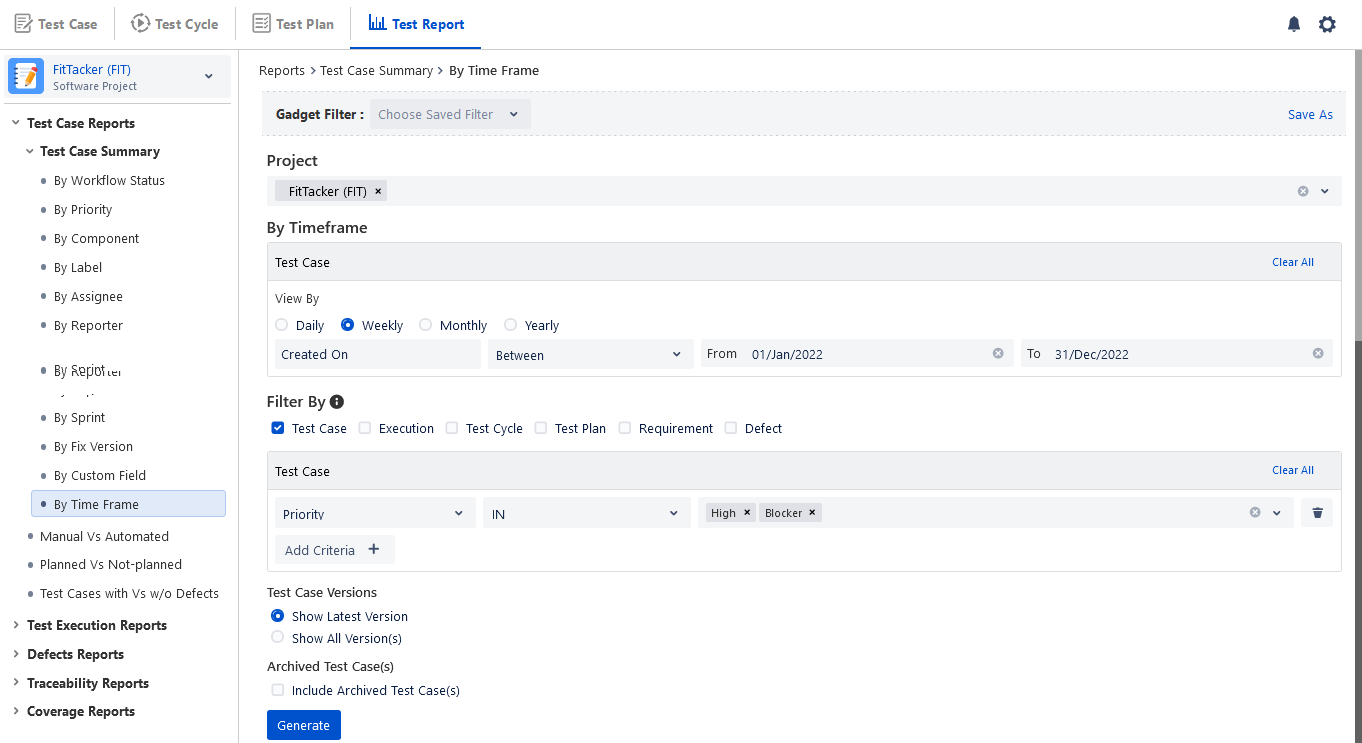
By Time Frame: The report displays count of test cases created in a Project during the defined time frame of Daily, Weekly, Monthly and Yearly. In addition to specified number of days, you can define time frame using custom date range and operators like =, >, <, <=,>=. The options to select time period depend upon the frequency you select to generate the report. The following table displays maximum duration set to generate the report.
Manual Vs Automated Test Cases
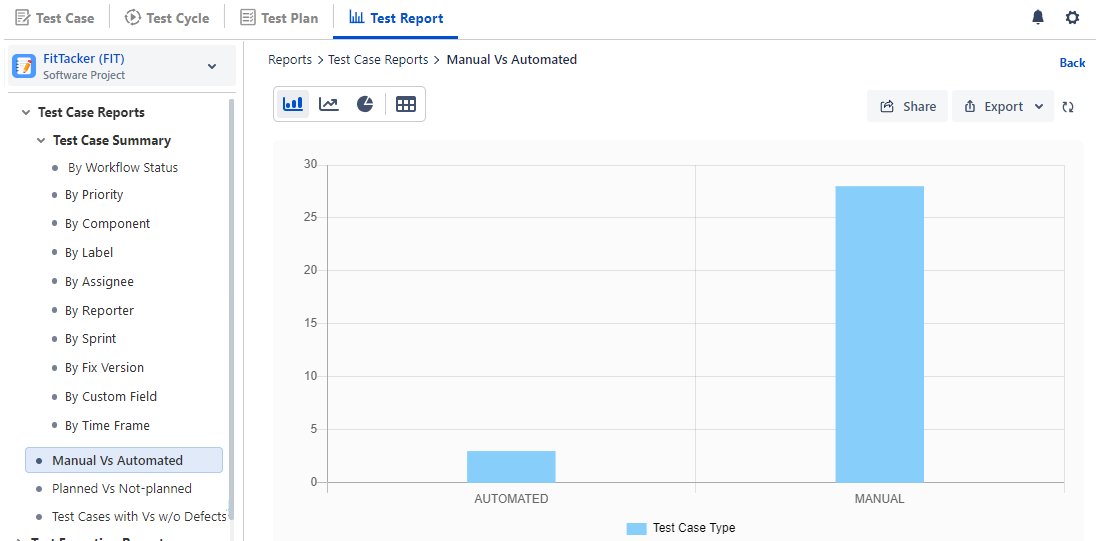
The report shows a summary of Manual vs Automated test cases based on testing type. Testing type is decided based on how a test case is created in QMetry. Test cases that are created/imported (via excel) using QMetry UI will have type as "Manual". Test cases that are created through Automation will have type as "Automated".
Planned Vs Not-Planned Test Cases
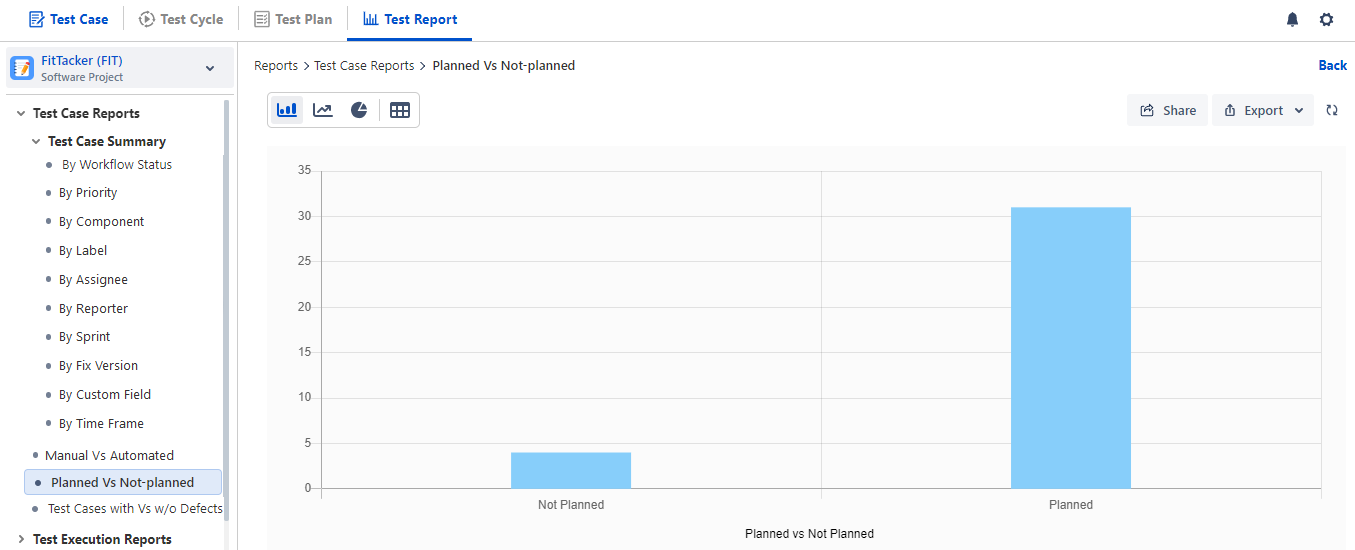
The report shows a summary of the Test Case planned or unplanned for execution. Test Cases that are linked with test cycles are "Planned" for execution. Test Cases that are not linked with test cycles are considered "Unplanned" for execution. You can find out test cases that are yet not part of any test cycle and add such test cases to test cycles.
Test Cases with Vs w/o Defects
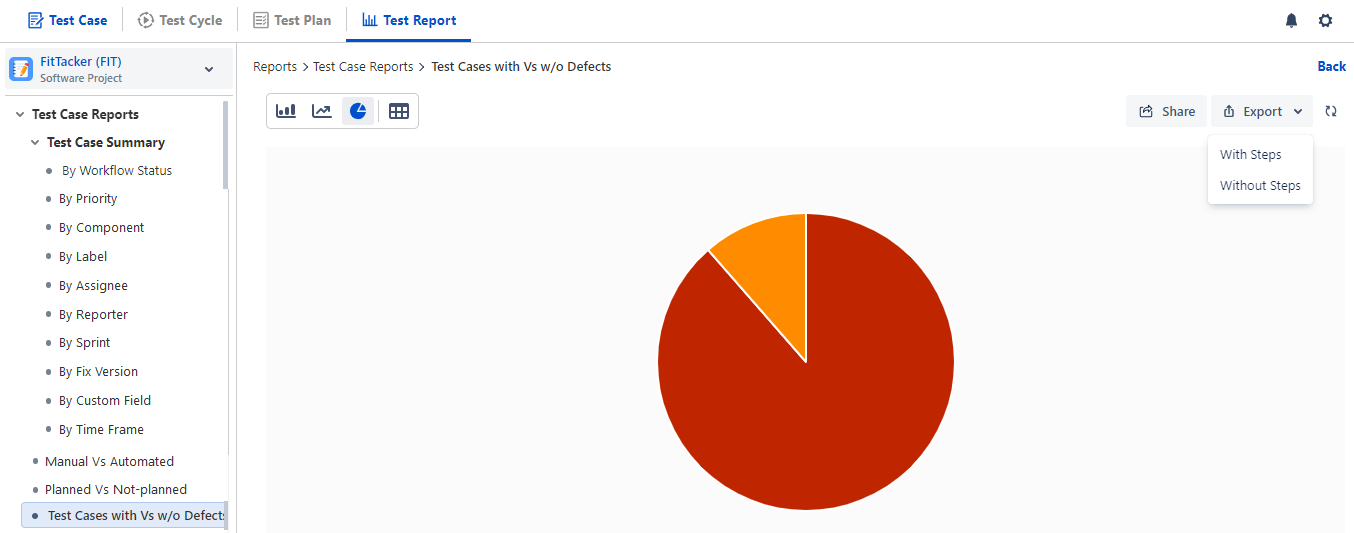
The report shows a summary of Test Cases associated with defects captured during execution. The report can be filtered based on a different combination of the test cycle and test plan. The defects linked at the test step level are also considered for this report.
Export Test Case Report
You can export the Test Case Report data to Excel for further analysis and comparison. To export the report details in Excel, click on the Export option at the top right corner.
It will export all the records irrespective of pagination on the screen.
The Test Case report can be exported using the following options:
With steps: The exported report contains all Test Steps for all Test Cases. Test Step Summary, Test Step Data and Test Step Expected Result will be displayed along with all available columns for the report.
Without steps: The exported report contains only the list of Test Cases.
Note
If the number of records in the report exceeds 1000, the report will not be downloaded directly. Instead, it will be sent to the registered email address.