Export QMetry Assets Macro Details to PDF and Word
Users can export the details of QMetry Macros on Confluence pages to PDF and Word formats using Confluence's built-in export features.
Perform the following steps to export the macro details:
Go to the Confluence page with the QMetry macro generated.
Click the More actions icon at the top right corner.
Select the Export to PDF or Export to Word option.
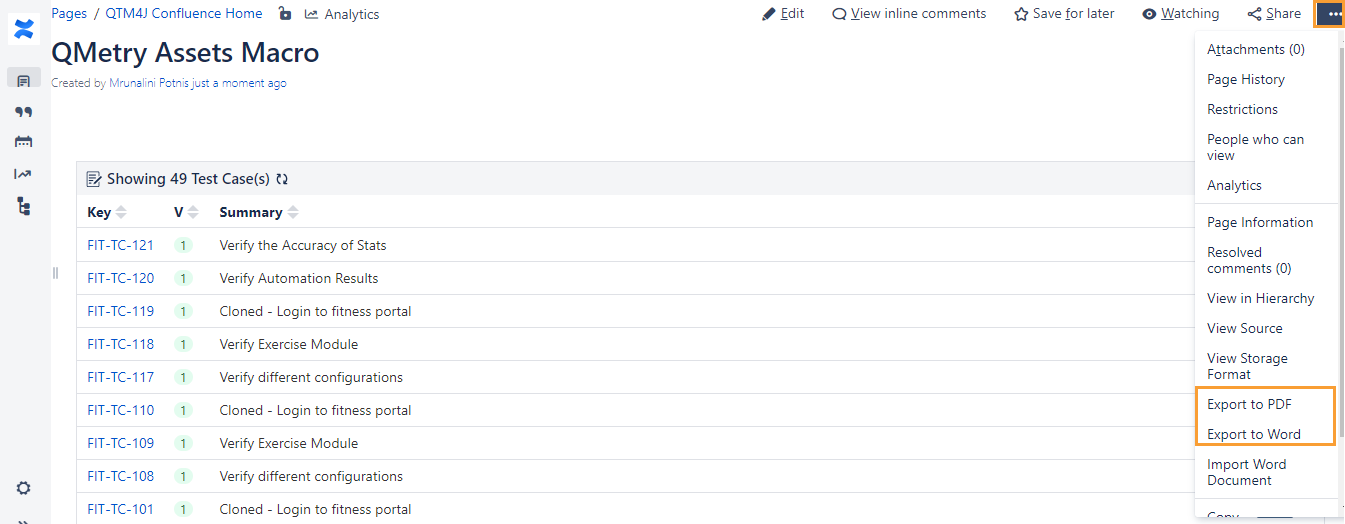
You can see the progress of the export operation on the screen.
Export to Word
The records are exported in Word as shown below.
The Key is hyperlinked; clicking on it opens the entity detail page in the QTM4J application.
When you click on the total count of the records in the exported file, it navigates you to the list view of the respective modules showing the total records. The filter you applied in Confluence will not be preserved.
Export to PDF
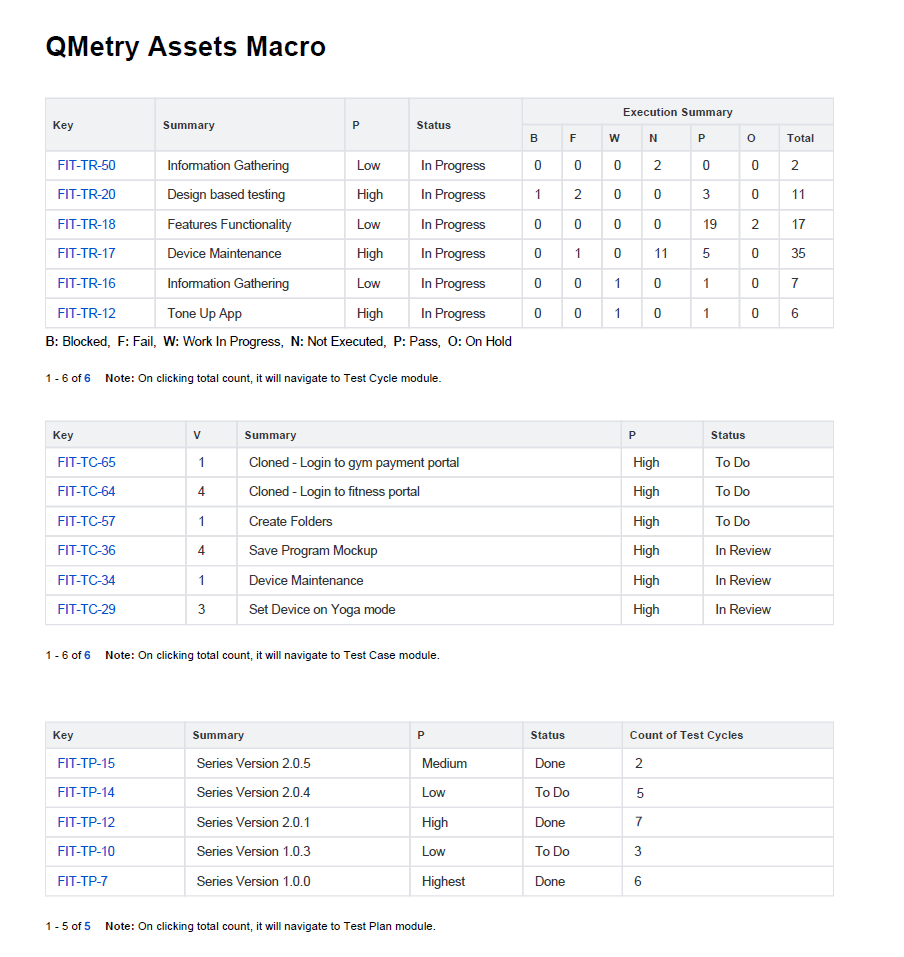
The records are exported in PDF as shown below.
The Key is hyperlinked; clicking on it opens the entity detail page in the QTM4J application.
When you click the total count of the records in the exported file, it navigates you to the list view of the respective modules, showing the total records. The filter you applied in Confluence will not be preserved.
Note
If you already have an old macro (for QTM4J Server version 4.8.0 or below) on the Confluence page, remove it and add the new one to see the latest features.
Additional Notes:
The export includes records only from the first page of the macro, even though the records in the QTM4J Macro on Confluence span multiple pages.
Clicking the total count in the exported file takes the user to the module list screen.
Columns that fit on the page will be exported. The rest of the columns will not get exported to the file.